
Facebook Social Marketing
by Viindoo
| Lines of Code | 2234 |
| Technical name | viin_social_facebook |
| License | OPL-1 |
| Website | https://viindoo.com/apps/app/17.0/viin_social_facebook |
| Read description for | v 13.0 v 14.0 v 15.0 v 16.0 v 18.0 |
| Required Apps | Discuss (mail) |
| Included Dependencies | Viindoo Base Social Marketing |
viin_social)
Facebook Pages in Social Marketing
Marketing / Social Marketing — integrate Social Marketing with Facebook
Facebook Social Marketing
Facebook Social Marketing helps you manage Facebook content directly from the Social Marketing app. The module lets you create, preview, and publish posts, monitor interactions, and respond to messages and comments without leaving the system.
Demo: Facebook Social Marketing (YouTube). Requires the Social Marketing base app (viin_social).
Key features
The list below summarises what you can do in the app. It extends the Social Marketing base app (viin_social) with Facebook-specific flows.
Facebook content management
Manage all Facebook content in an intuitive interface.
Content creation tools
Attach files, preview and publish posts.
Post progress tracking
Manage post status (Draft, Confirmed, Canceled) and assignees.
Content editing and interaction
Edit, share, and delete posts directly in the app. Reply to, delete, and hide comments. Receive and respond to Facebook messages directly.
Data synchronization
Sync posts and notifications from Facebook into the system.
Benefits
Outcomes teams typically look for when centralising Facebook in Odoo.
Time saving
Helps you manage Facebook content quickly and efficiently.
Enhanced interaction performance
Supports message and comment responses within the system.
Strict content control
Synchronizes and controls content on a single platform.
Reduced risk of loss of control
Helps businesses maintain accurate and consistent content.
Facebook Social Marketing overview
viin_social for shared social models and UI.viin_social) first. This app extends media, settings, pages, articles, and posts for Facebook.pages_show_list, pages_read_engagement, pages_manage_posts, pages_read_user_content, pages_manage_engagement, pages_manage_metadata, and optionally pages_messaging for Messenger.Screenshots
Screenshots walk through the main screens in the English Odoo interface.
-
1
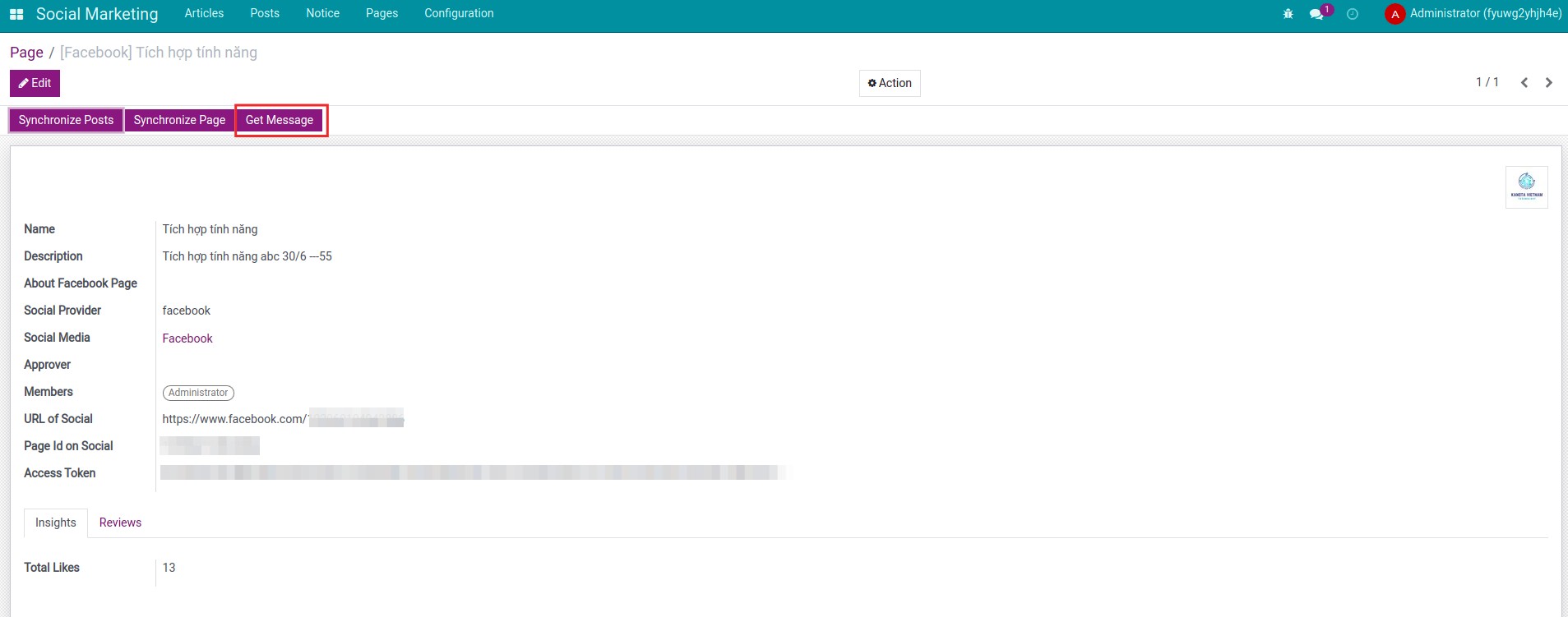
Fetch Page messages
Bring Messenger conversations into Odoo when messaging permissions are granted on your Meta app.
-
2
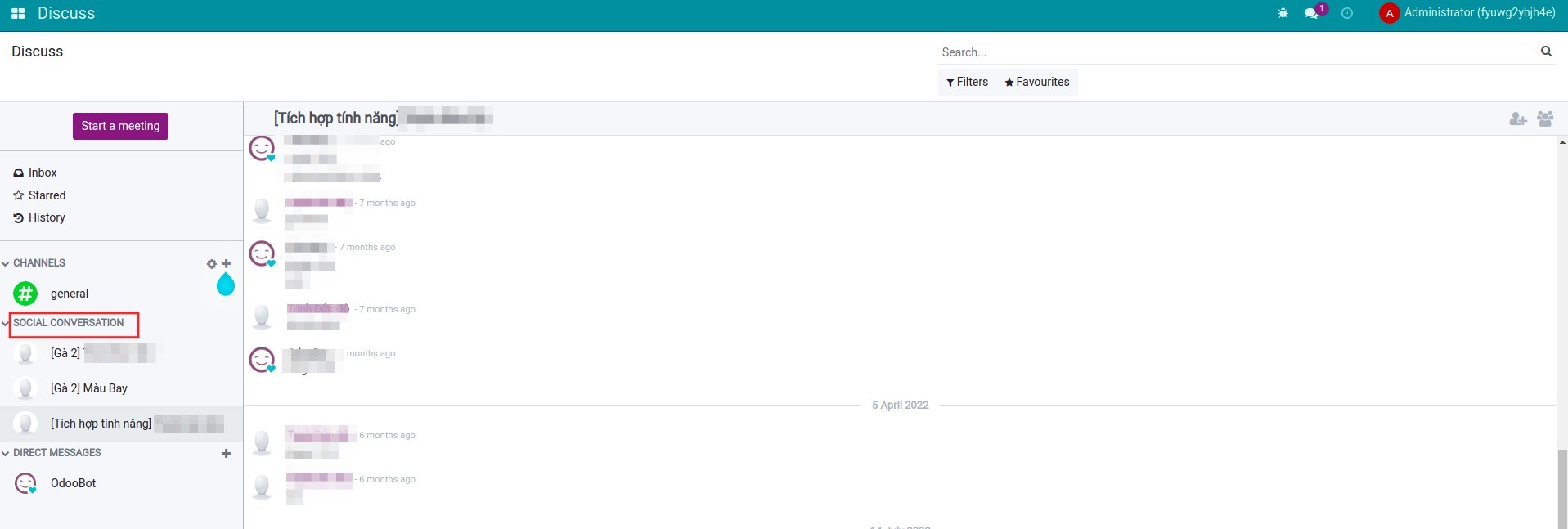
Message list
Work the inbox alongside other social operations without leaving the backend.
-
3
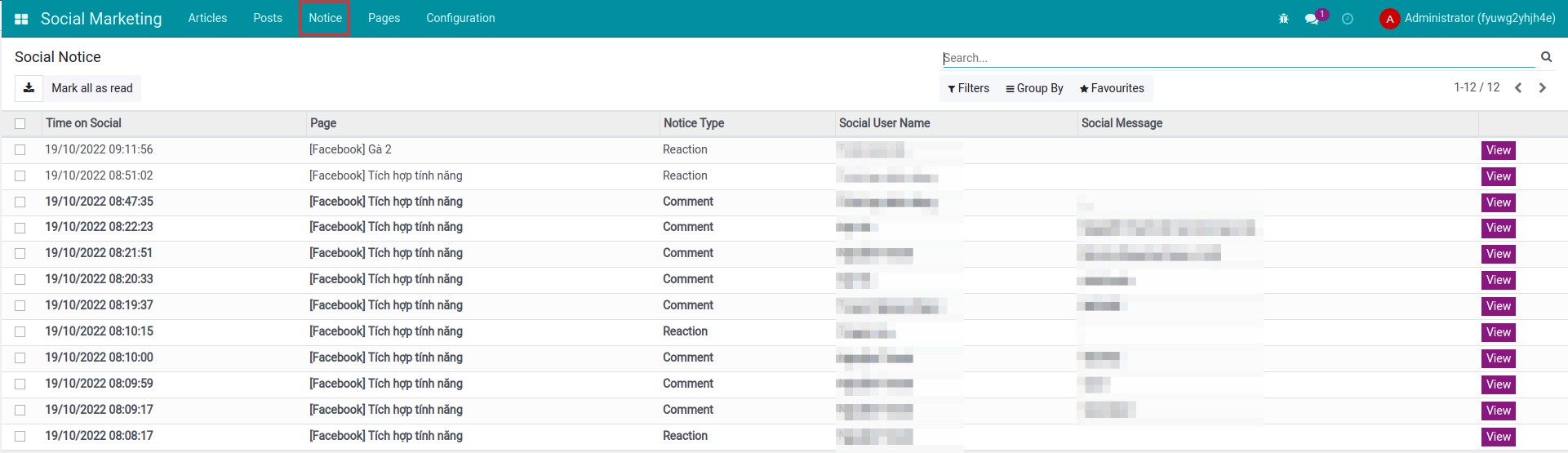
Interaction notifications
Stay aware of likes, comments, and other Page signals synced into notices.
-
4
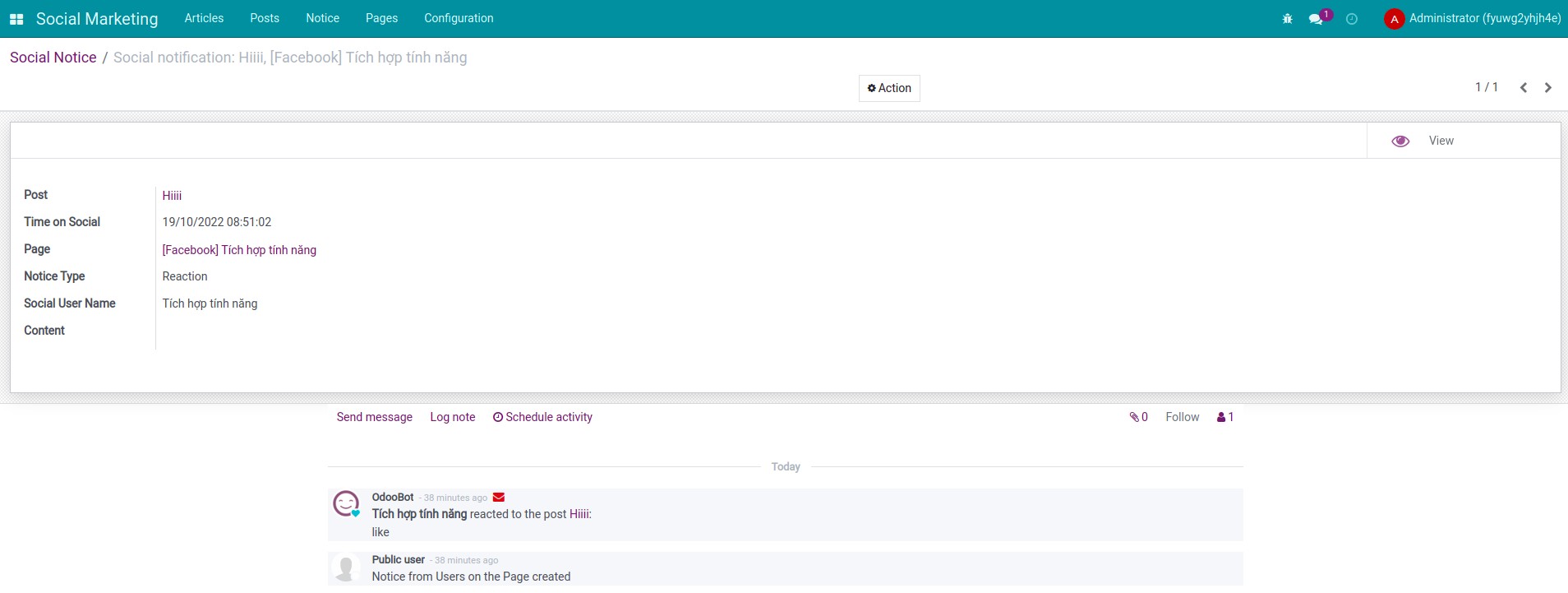
Notice detail
Open structured notice payloads that map back to posts and Pages for faster triage.
Video and online sandboxes
Watch the module video, then open a Viindoo demo where Social Marketing and Facebook Social Marketing are installed so menus and OAuth match production.
Pre-sales
Share Odoo edition, expected Page volume, whether you need Messenger ingestion, and any coexistence with Odoo standard Social Marketing.
sales@viindoo.comSupport
Include order reference, Social Marketing and Facebook Social Marketing app versions, Meta app id, failing Graph API responses, and steps to reproduce token or publishing errors.
apps.support@viindoo.comTechnical requirement
Before using this module, verify the following Facebook permissions on your Meta app:
pages_show_list,pages_read_engagement,pages_manage_posts,pages_read_user_content,pages_manage_engagement,pages_manage_metadatapages_messaging(optional)- Odoo 17 with Social Marketing installed and configured; valid Meta developer app and HTTPS callbacks for OAuth in production.
After installation, connect Facebook from settings, then use the Social Marketing menus to authorise Pages and manage content as in the screenshots above.
Changes log
- v0.2 - Documentation and store description refreshed.
- v0.1 - Initial Facebook integration for Viindoo Social Marketing.
Target users
Typical roles that get the most value from this app.
Businesses using Facebook
Suitable for businesses that want to promote their brand.
Marketing teams
Optimize social media content management.
Campaign managers
Track Facebook campaign effectiveness more easily.
Installation
- Navigate to Apps.
- Search with keyword viin_social_facebook.
- Press Install.
Instruction
Instruction video: Facebook Social Marketing
Concepts
- Social marketing: also known as social media marketing, is a form of advertising through the creation and sharing of content on the social networks.
- Social networks: a website or an online platform, with many features that help connect people.
- Article: content need to be posted.
- Post: content are posted on social networks.
Usages
1. Integrate the Social Marketing app with Facebook
- Step 1: connect API with Facebook.
You need to access Facebook Developer to connect API.
Refer to the article about Connect API with Facebook.
- Step 2: connect the Facebook pages with the Social Marketing app.
Once you've finished connecting to API, you can link the specific Facebook pages you need to manage.
Refer to the article about Integrate specific pages with the system.
2. Create articles on social media
- Step 1: create an article.
- Step 2: confirm articles.
- Step 3: post confirmed articles.
- Step 4: see the list of posts.
Refer to the article about Create articles on social media.
3. Manage posts on social media
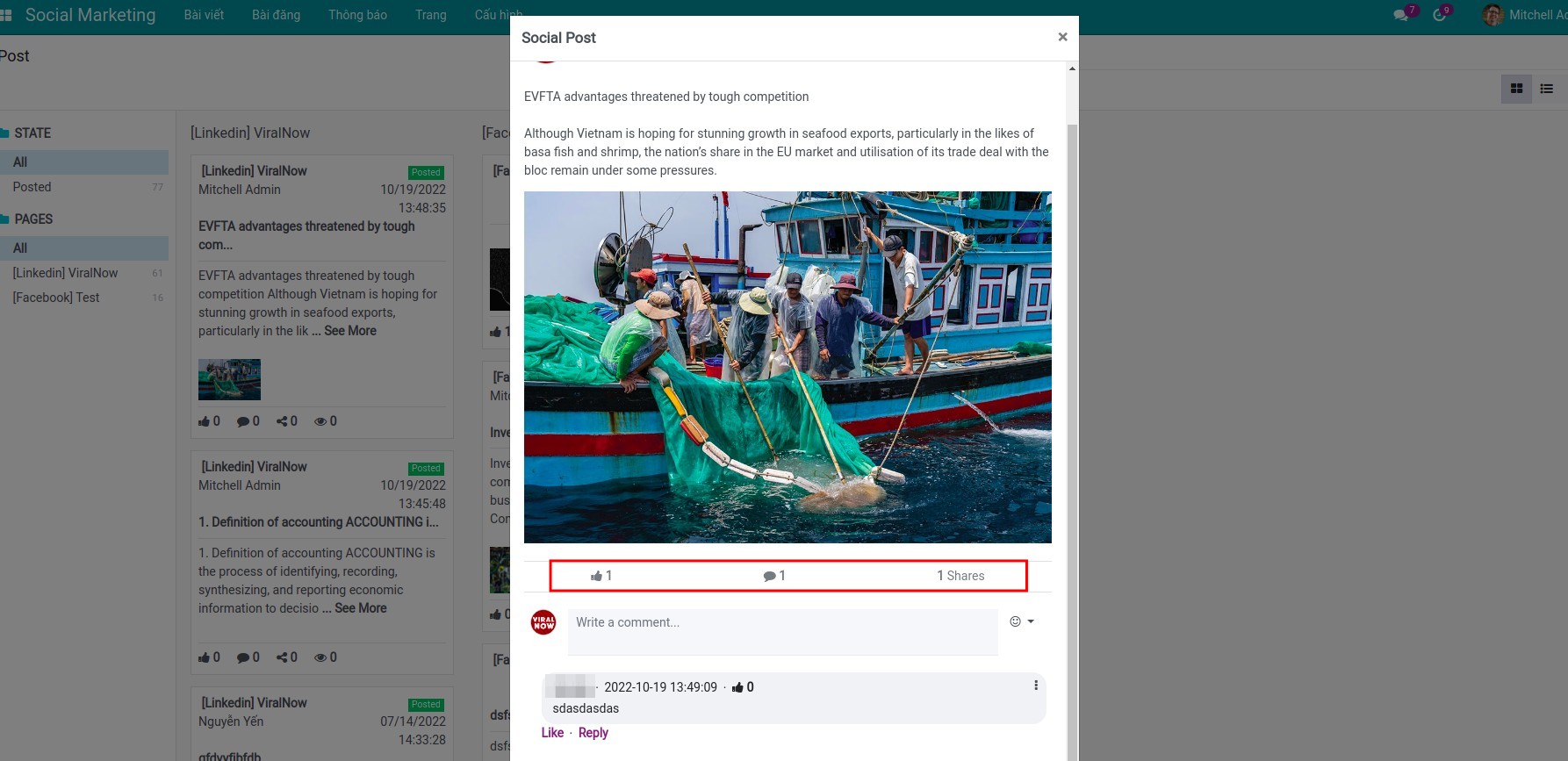
To see interactions, users visit each post. In addition, there are several operations to manage posts such as: synchronizing posts, synchronizing pages, updating social posts, and deleting posts.
Refer to the article about Manage posts on social media.
4. Manage user interactions
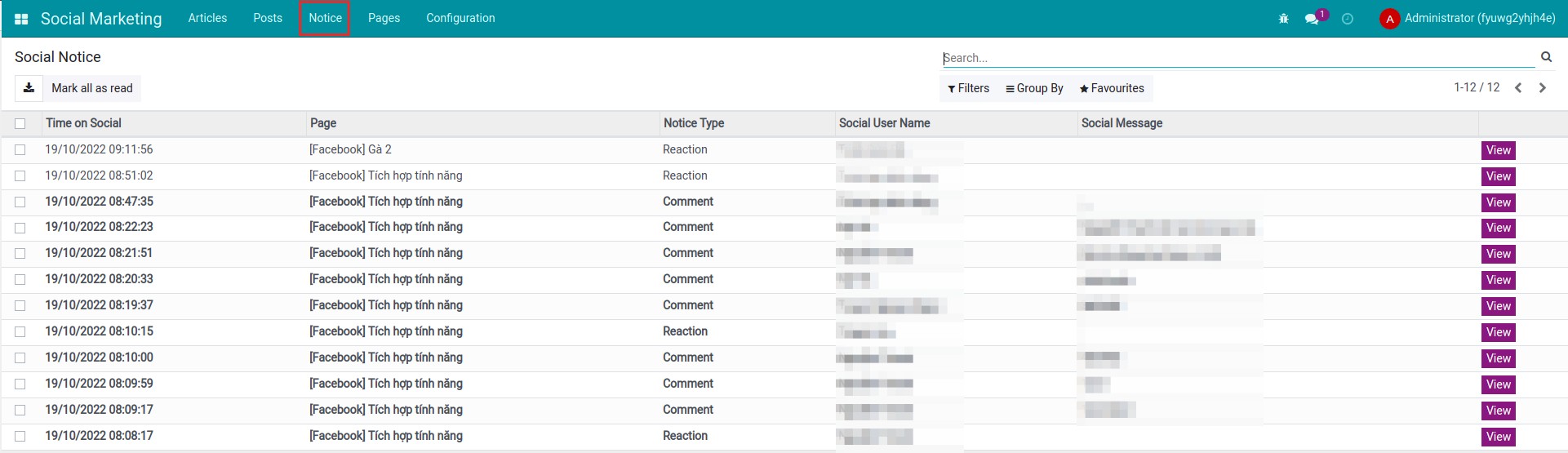
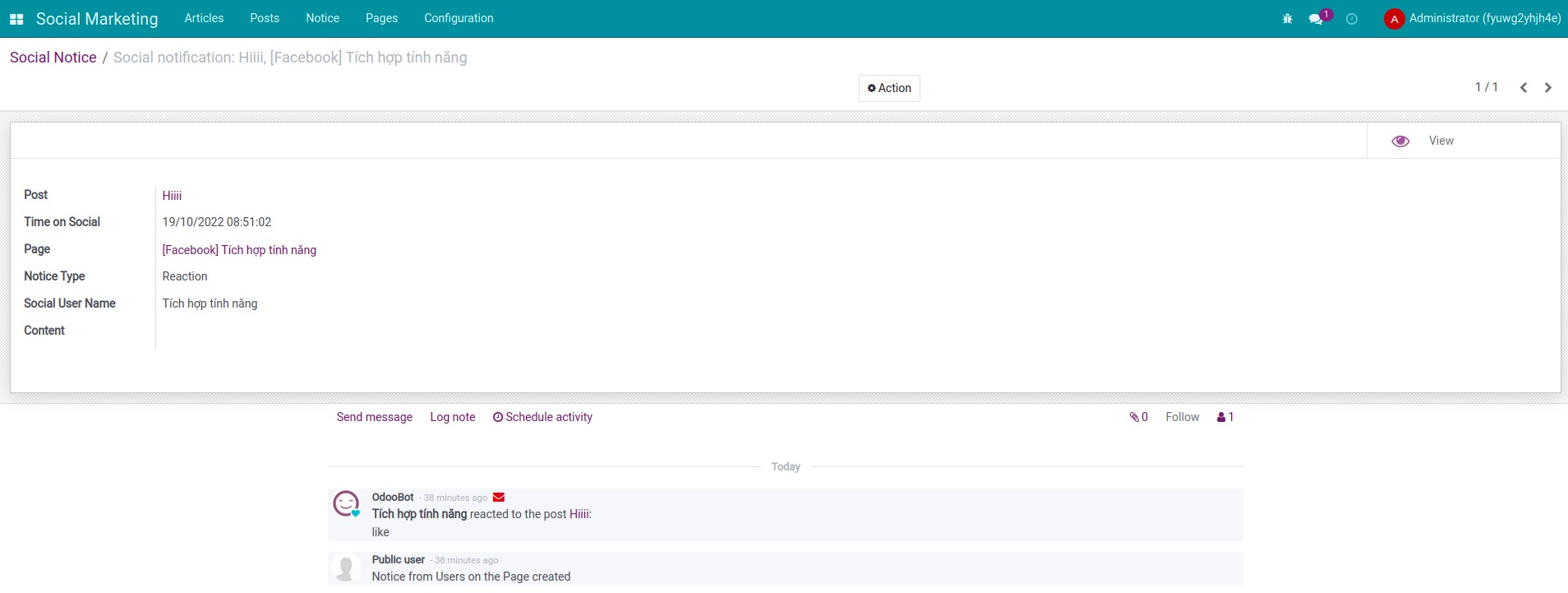
You can view all user interaction notifications in posts by navigating to Social Marketing ‣ Notice.
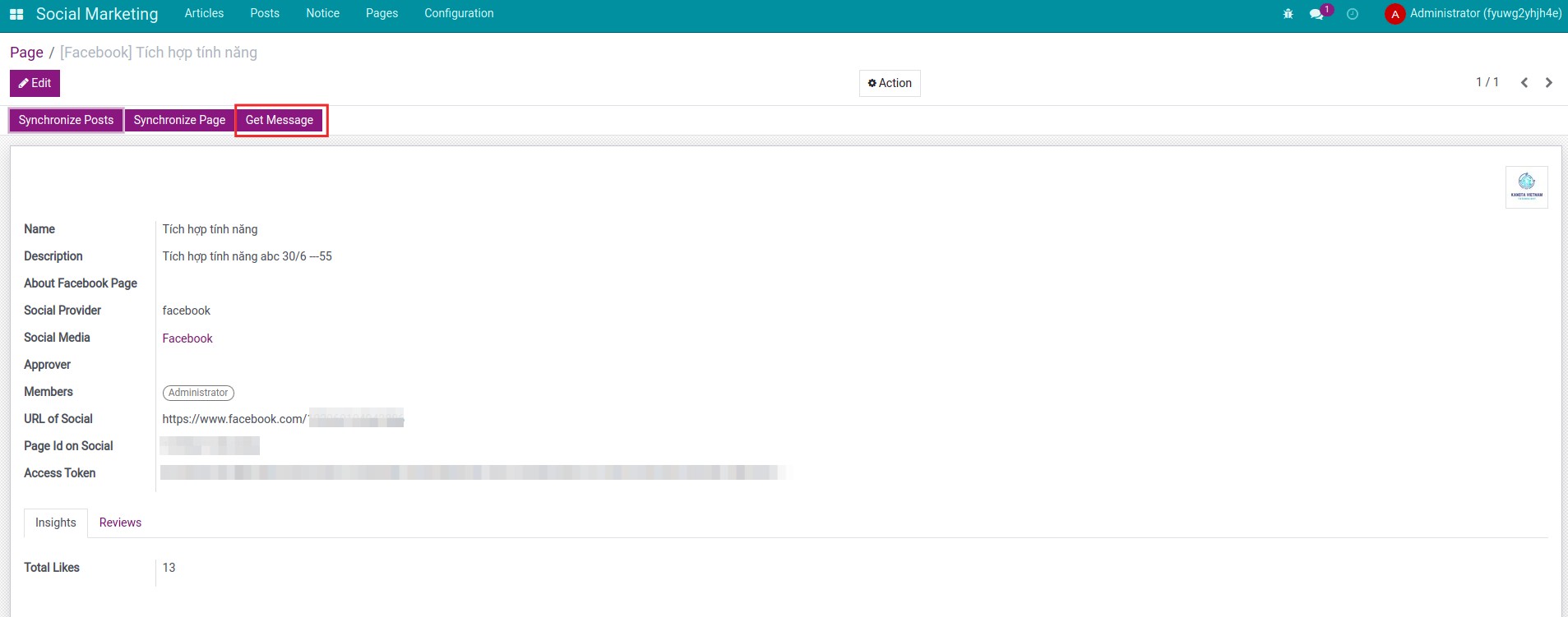
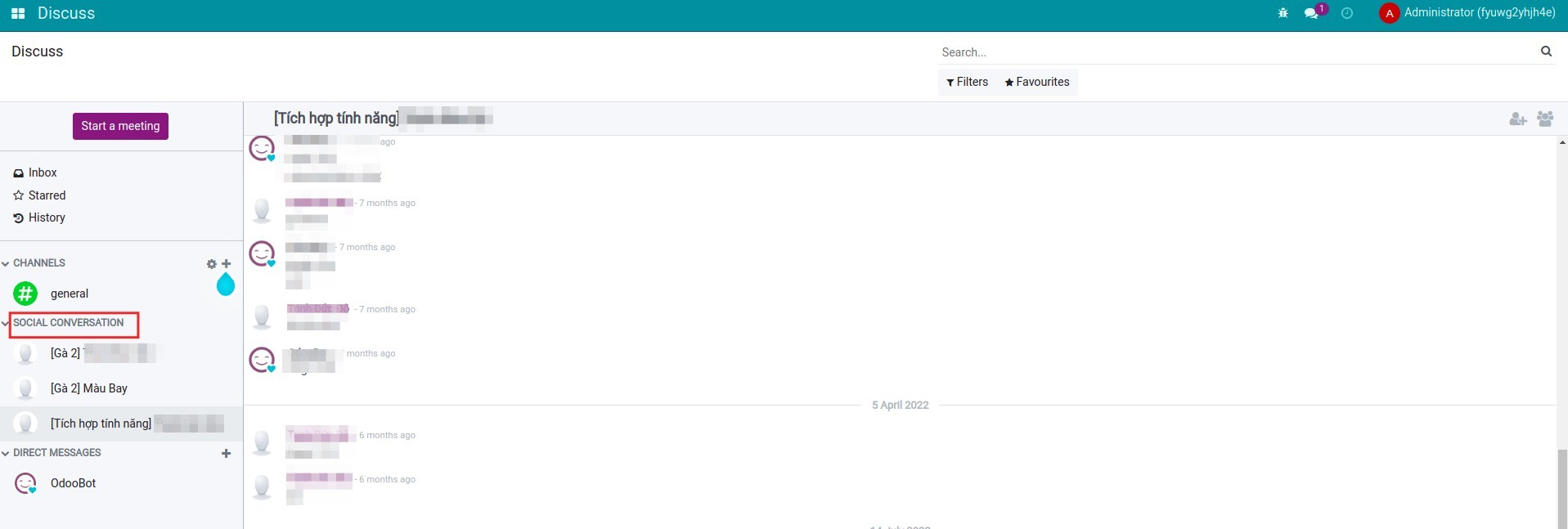
In addition, you can also manage messages from the Facebook page. Navigate to the page you manage, select Get message to update the messages sent by users from the Facebook page.
You navigate to the Discuss app to see messages from the Facebook page.
This software and associated files (the "Software") may only be used (executed, modified, executed after modifications) if you have purchased a valid license from the authors, typically via Odoo Apps, or if you have received a written agreement from the authors of the Software (see the COPYRIGHT file).
You may develop Odoo modules that use the Software as a library (typically by depending on it, importing it and using its resources), but without copying any source code or material from the Software. You may distribute those modules under the license of your choice, provided that this license is compatible with the terms of the Odoo Proprietary License (For example: LGPL, MIT, or proprietary licenses similar to this one).
It is forbidden to publish, distribute, sublicense, or sell copies of the Software or modified copies of the Software.
The above copyright notice and this permission notice must be included in all copies or substantial portions of the Software.
THE SOFTWARE IS PROVIDED "AS IS", WITHOUT WARRANTY OF ANY KIND, EXPRESS OR IMPLIED, INCLUDING BUT NOT LIMITED TO THE WARRANTIES OF MERCHANTABILITY, FITNESS FOR A PARTICULAR PURPOSE AND NONINFRINGEMENT. IN NO EVENT SHALL THE AUTHORS OR COPYRIGHT HOLDERS BE LIABLE FOR ANY CLAIM, DAMAGES OR OTHER LIABILITY, WHETHER IN AN ACTION OF CONTRACT, TORT OR OTHERWISE, ARISING FROM, OUT OF OR IN CONNECTION WITH THE SOFTWARE OR THE USE OR OTHER DEALINGS IN THE SOFTWARE.
Install together with
Facebook Social Marketing always ships beside the technical base. Add other connectors when you need additional networks.
Social Marketing (base)
Shared models, views, metrics, and security that every Viindoo social connector extends.
View on AppsLinkedIn Social Marketing
Optional second connector that reuses the same article and post flows for LinkedIn assets.
View on Apps