Lead Acquisition & Management
Landing pages & forms
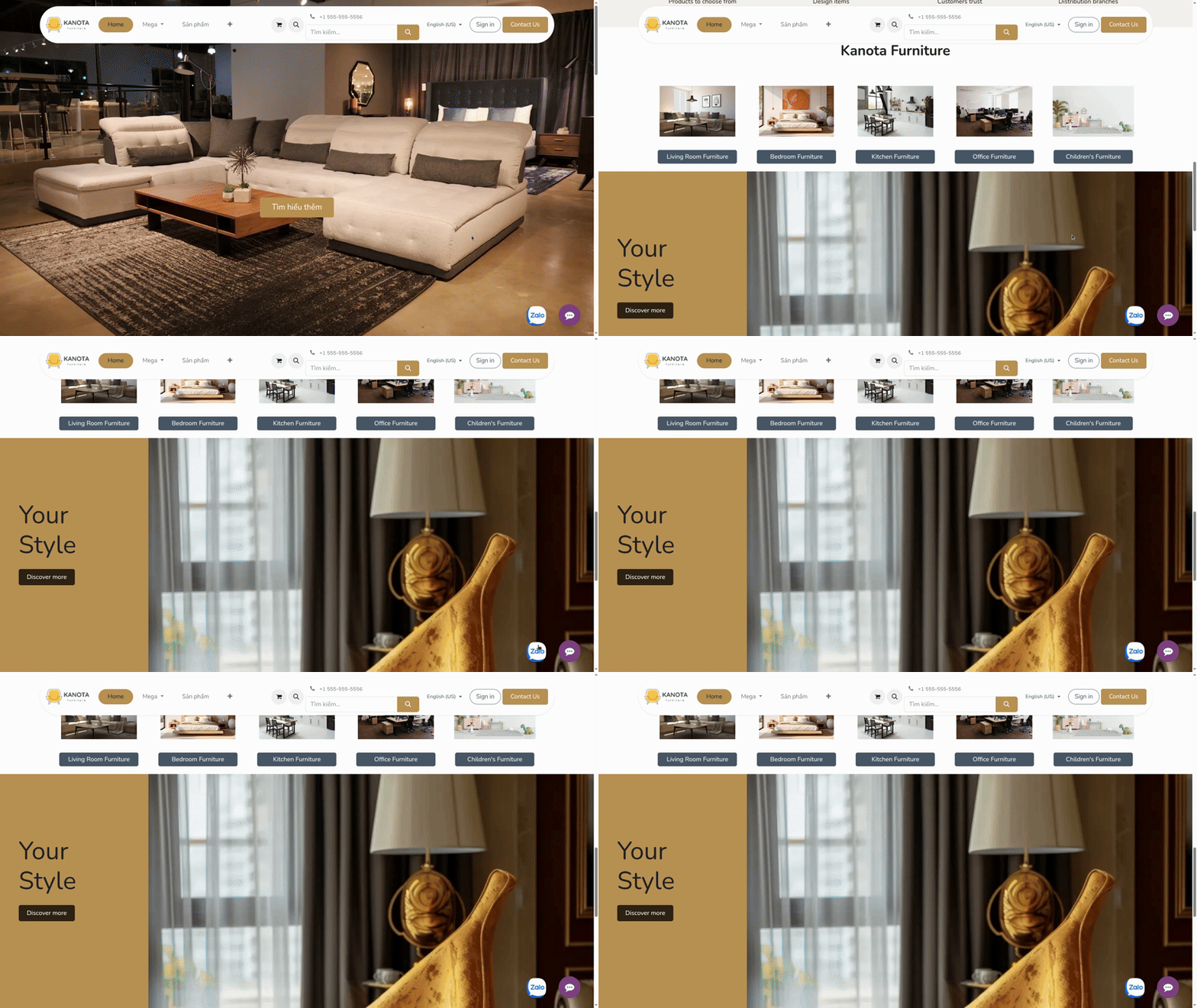
- Build landing pages, registration forms, and chat channels to capture leads.
- Integrate Zalo OA chat to receive and engage with customers directly.
Lead creation & data standardization
- Create leads manually or import from Excel.
- Standardize data from the beginning to ensure consistency.
- Build a clean data foundation for the entire sales pipeline.
Create leads from conversations
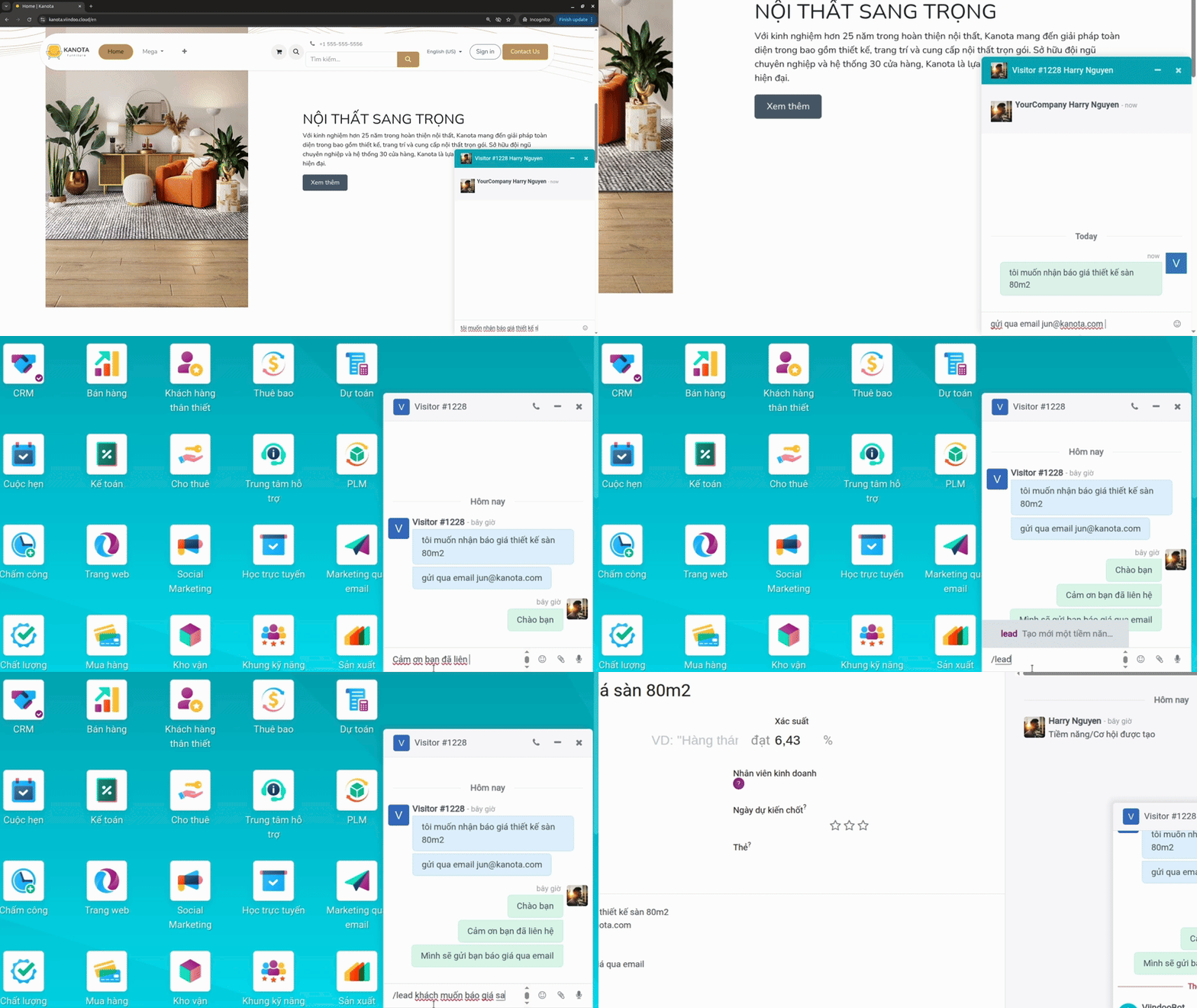
- Automatically create leads from website, forms, emails, live chat, and Zalo OA in one unified system.
- Attach full interaction history to the customer profile.
- Turn every interaction into actionable data.
Automated lead assignment
- Automatically assign leads by territory, team, or predefined rules.
- Ensure fast response with the right person handling each lead.
- Eliminate unprocessed or overlooked leads.
Customer data synchronization
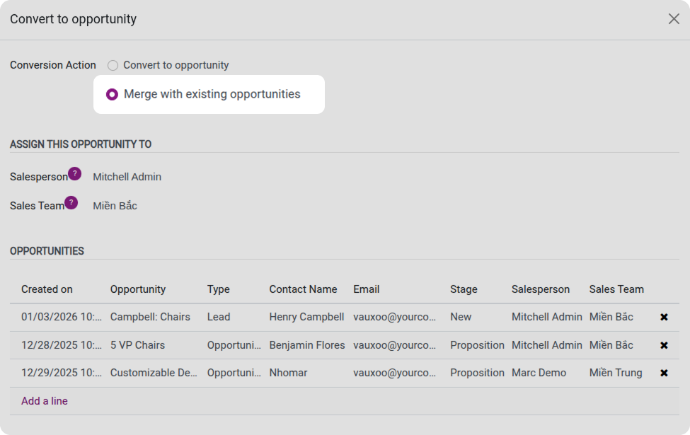
- Detect duplicates using multiple criteria such as email, company name, tax ID, or domain.
- Merge opportunities while preserving full history including emails, deals, orders, and support requests.
- Maintain consistent and unified customer data across the system.
Lead scoring & prioritization
- Evaluate lead quality based on behavior and interaction history.
- Identify high-potential leads to prioritize first.
- Help sales teams focus on opportunities with higher conversion potential.

Source tracking & marketing performance
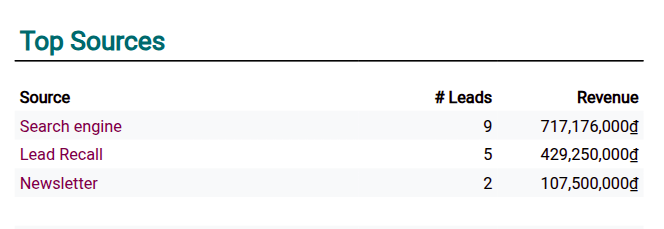
- Track lead sources by UTM, campaigns, and marketing channels.
- Understand the full customer journey from the first touchpoint.
- Measure campaign performance based on real data.
Sales Pipeline Management
Visual pipeline with control
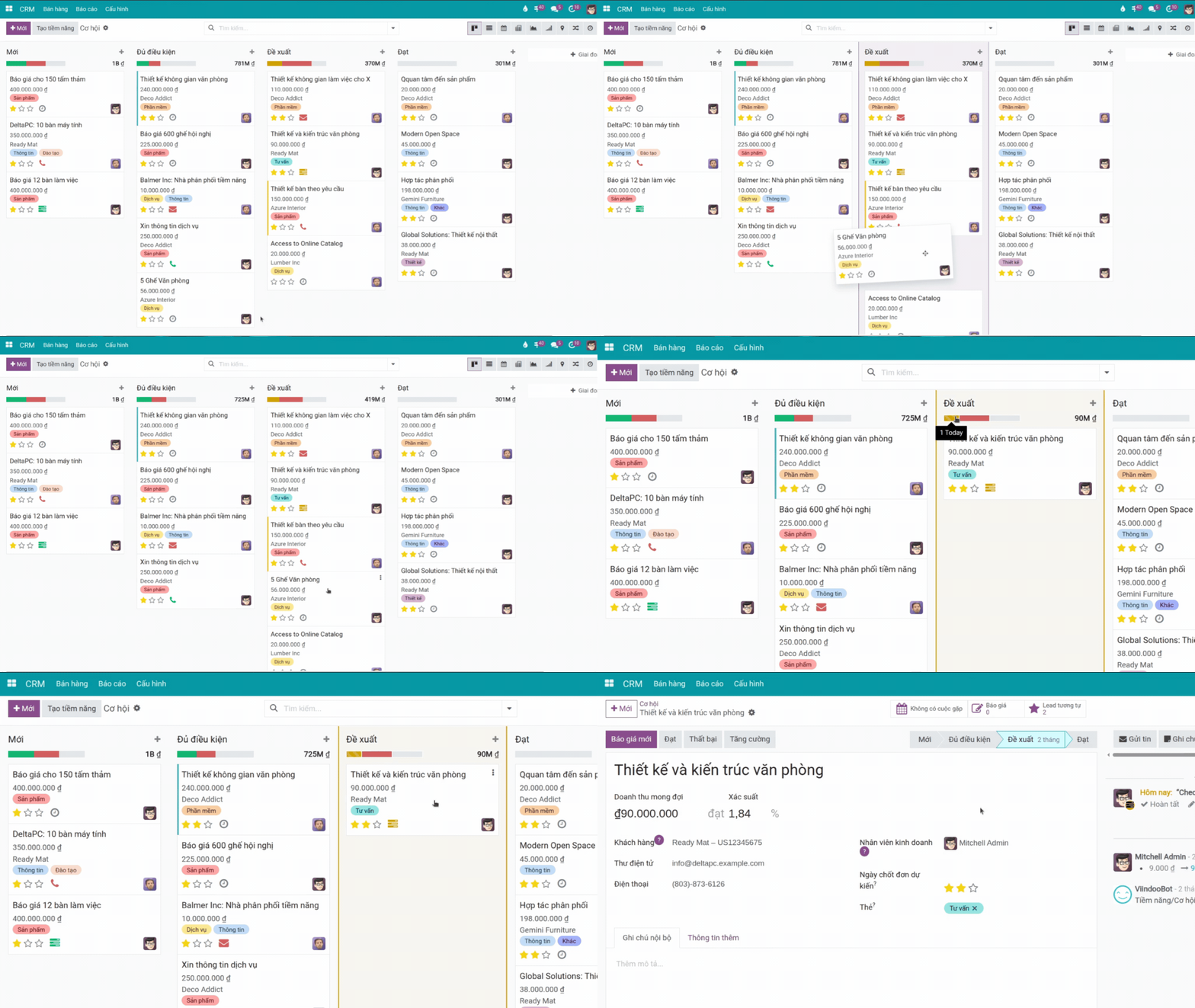
- View your sales pipeline in a Kanban layout.
- Drag and drop opportunities across stages for quick updates.
End-to-end opportunity management
- Track opportunities across all sales stages in a clear, structured view.
- Move deals between stages easily to reflect real-time progress.
- Define stage-specific rules such as win probability and transition conditions.
Flexible pipeline customization
- Design sales stages based on your actual business process.
- Support multiple models including B2B, B2C, project-based, and bidding workflows.
- Customize pipelines by product lines, markets, or sales teams.
Sales performance tracking
- Track how long opportunities stay in each stage.
- Identify bottlenecks or stalled deals.
- Measure conversion rates between stages.

Revenue forecasting
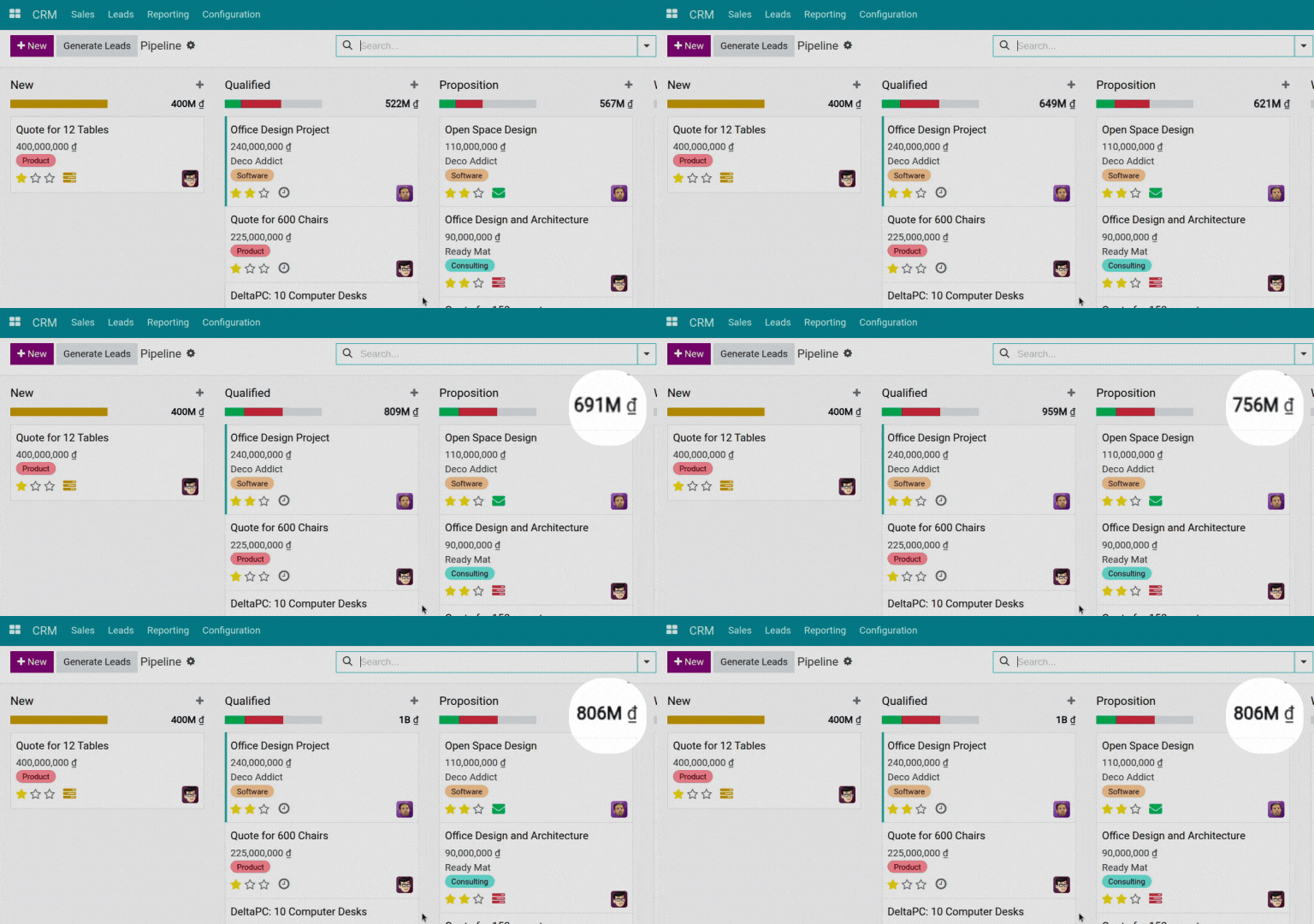
- Estimate revenue based on deal probabilities.
- Monitor pipeline value in real time.
Activity scheduling & automated reminders
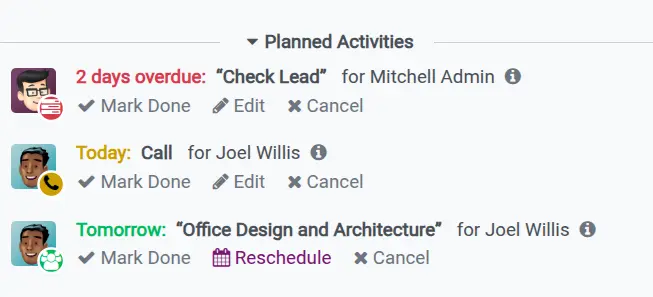
- Schedule calls, meetings, and follow-ups directly within each opportunity.
- Set automated reminders based on time or deal status.
Smart Sales Automation
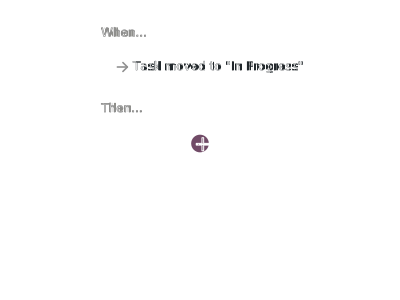
- Set up simple rules based on actions or status changes to automatically assign tasks, send follow-ups, and keep your sales process moving without manual work.
Quotation & Order Management
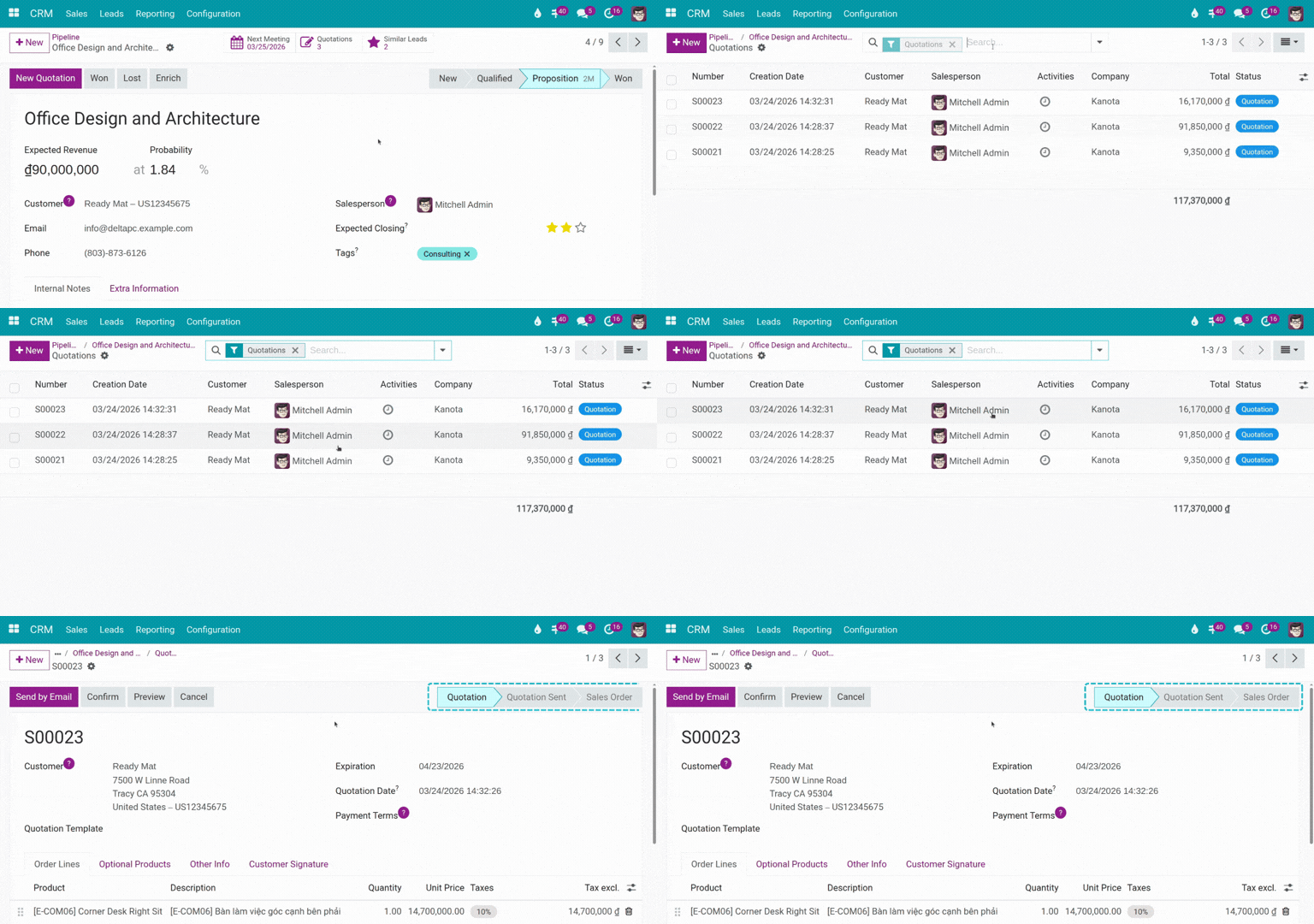
Quotation creation & tracking
- Create quotations directly from each sales opportunity.
- Track quotation status including draft, sent, and confirmed.
- Maintain a complete quotation history for each customer.
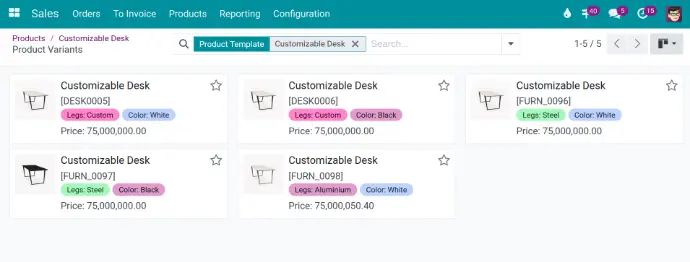
Product & sales configuration
- Manage product catalogs, variants, and units of measure.
- Configure taxes by product or region.
- Define sales terms, payment terms, and delivery conditions.
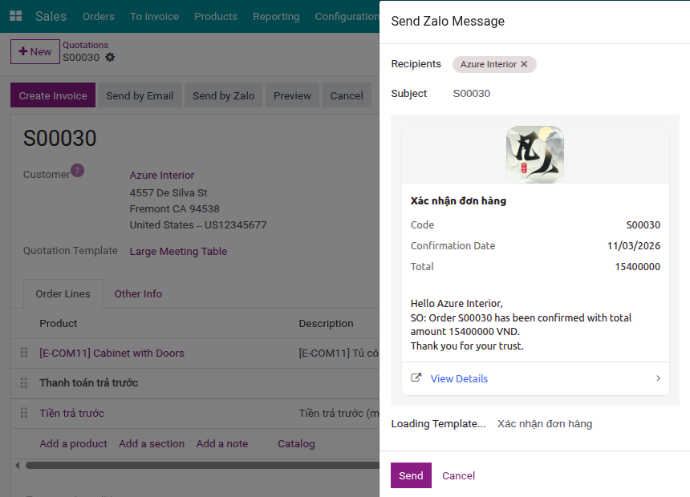
Online quotation sending & confirmation
- Send quotations via Email or Zalo.
- Allow customers to review and confirm quotations online.
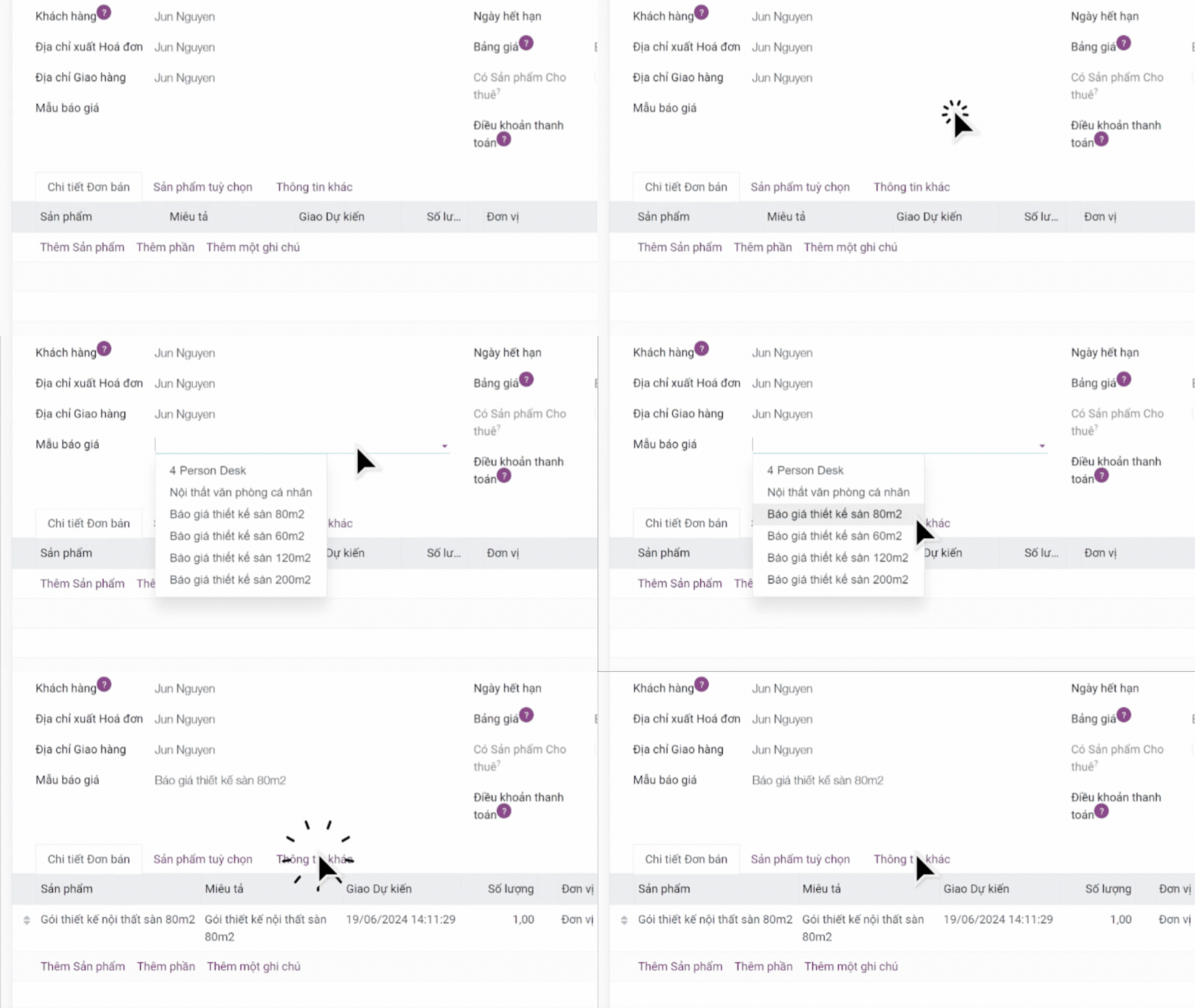
Quotation Template
Design custom quotation templates in just a few clicks and reuse them to save time.
Pricelist & sales policies
- Set up pricing based on customers or order quantities.
- Apply flexible discount policies.
Invoicing & Payments
Invoice creation & management
- Create invoices directly from sales orders or manually.
- Manage full invoice lifecycle including draft, confirmed, paid, and canceled.
- Support multiple invoice types such as standard, adjustment, and milestone-based invoices.
Payment recording & reconciliation
- Record full or partial payments.
- Reconcile receivables by customer and invoice.
- Track aging reports and payment status.
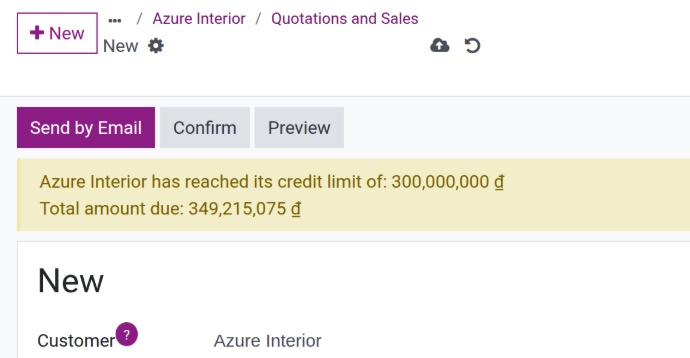
Credit limit control
- Set credit limits for each customer.
- Notify users when transactions exceed the defined threshold.
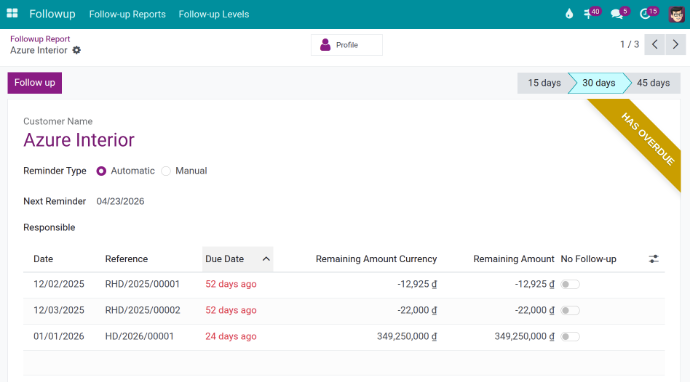
Automated payment reminders
- Send automatic notifications when payments are due.
- Reduce overdue invoices and missed payments.
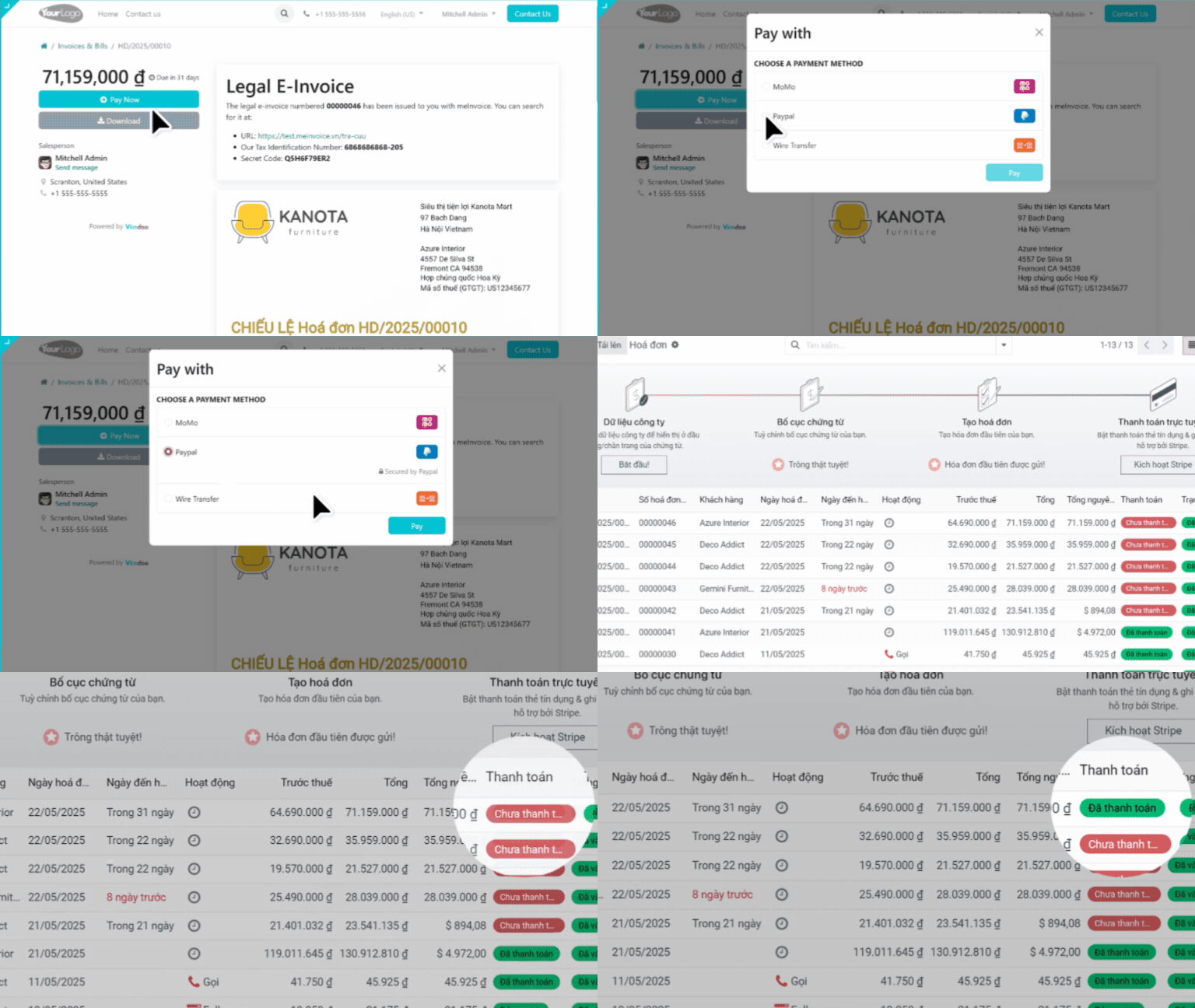
Multiple payment methods
- Support various payment options including bank transfer, cash, and online payment gateways.
- Integrate with platforms such as ZaloPay, MoMo, VNPay, and PayPal.
- Enable customers to pay directly from quotations or invoices.
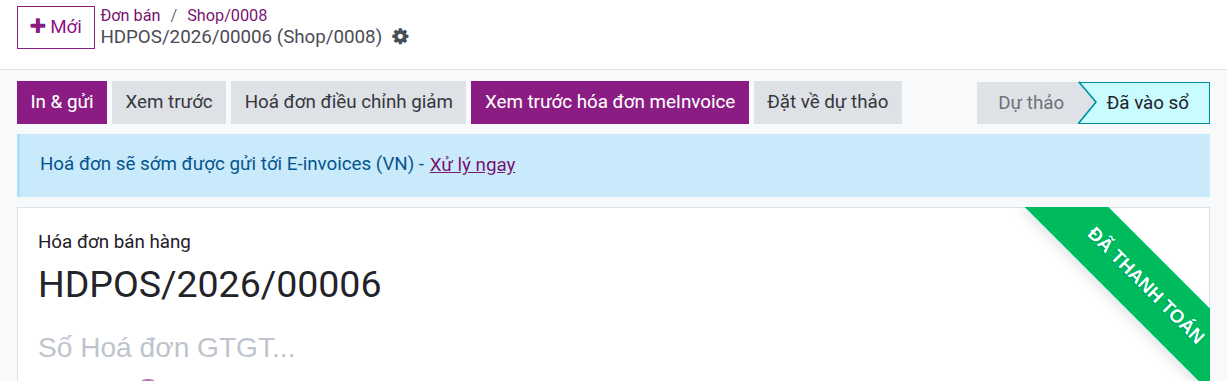
E-invoicing integration
- Generate electronic invoices directly from the system without accessing external platforms.
- Synchronize invoice status with tax systems.

Multi-currency support
- Allow customers to pay in their preferred currency with automatic conversion.
- Record gains and losses for each transaction.
- Automatically update exchange rates based on defined intervals: daily, weekly, or monthly.
Customer portal
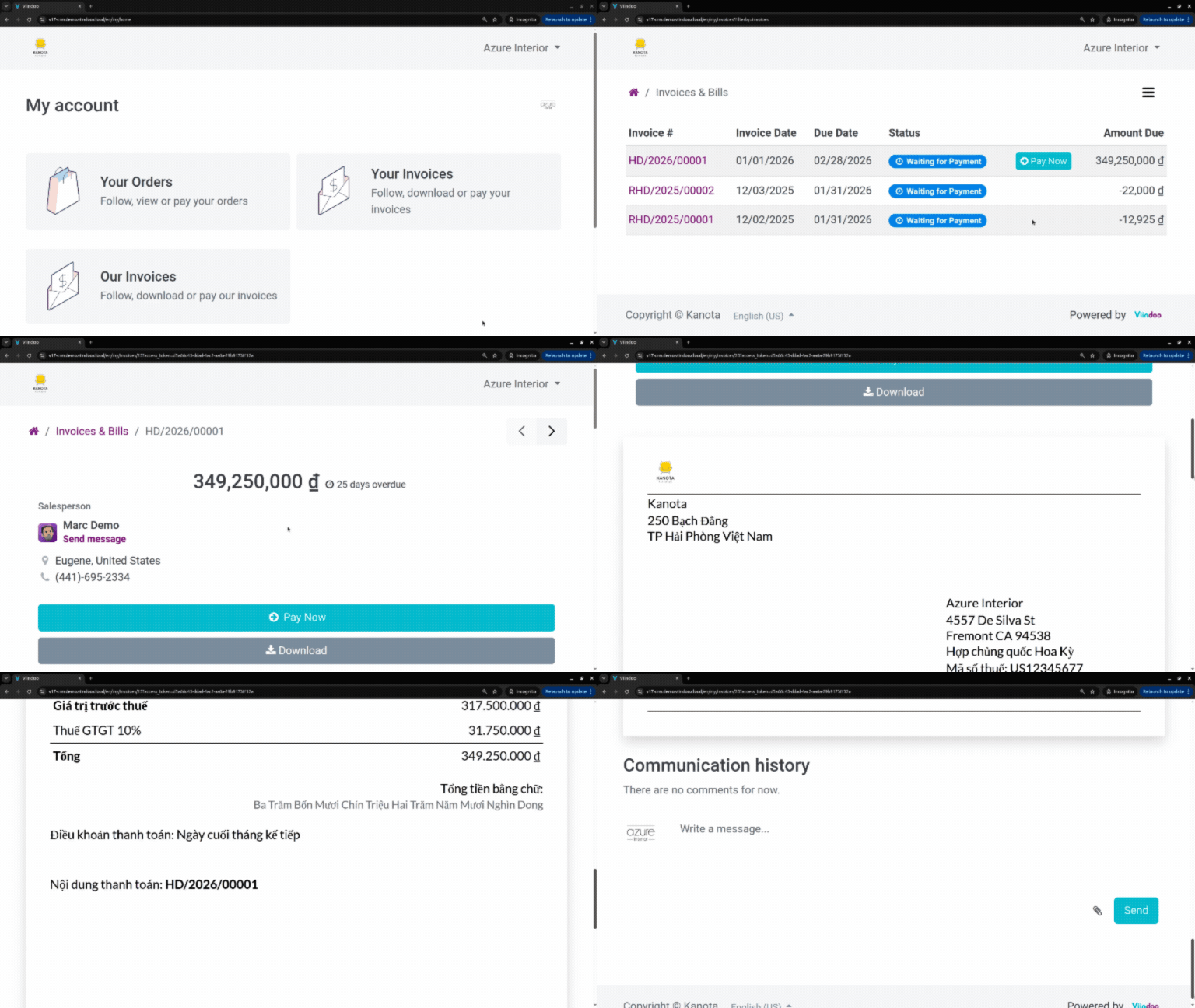
- Allow customers to view invoices and payment history.
- Enable direct payments via the portal.
- Improve transparency and reduce accounting workload.
Customer Support
Ticket management
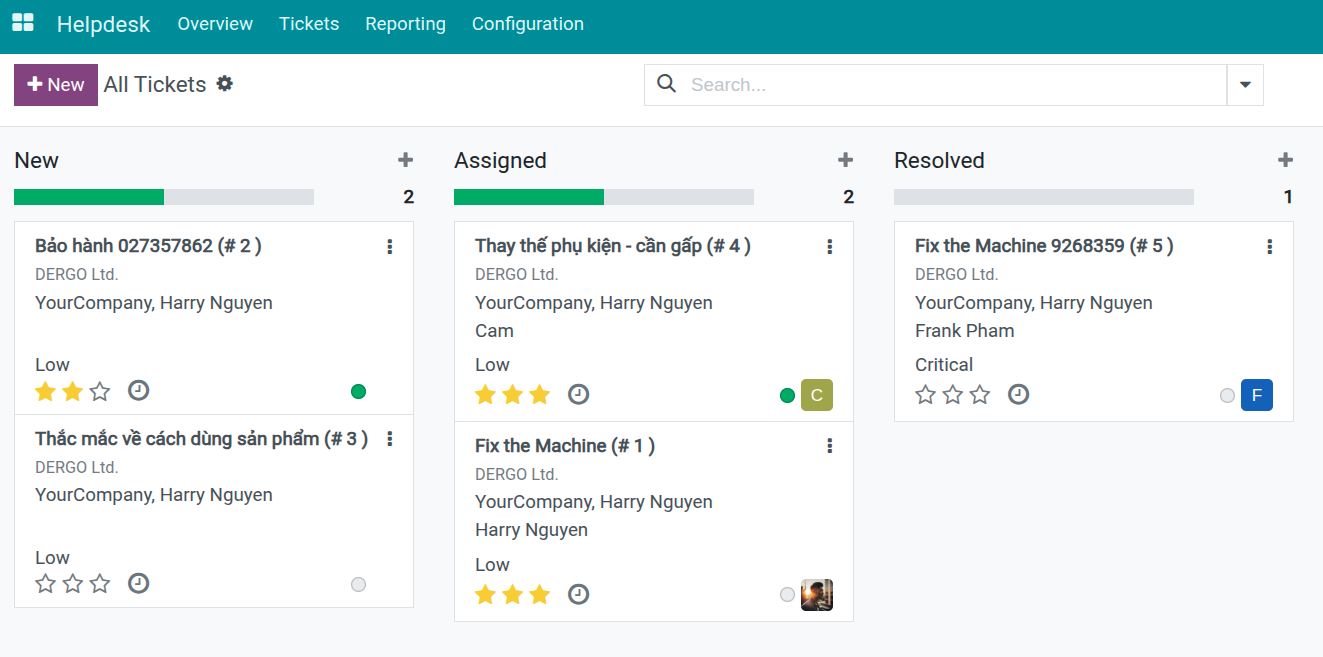
- Create and receive support requests from email, website, forms, and Zalo in one centralized system.
- Track request status and priority with a clear, structured view.
Ticket classification & handling
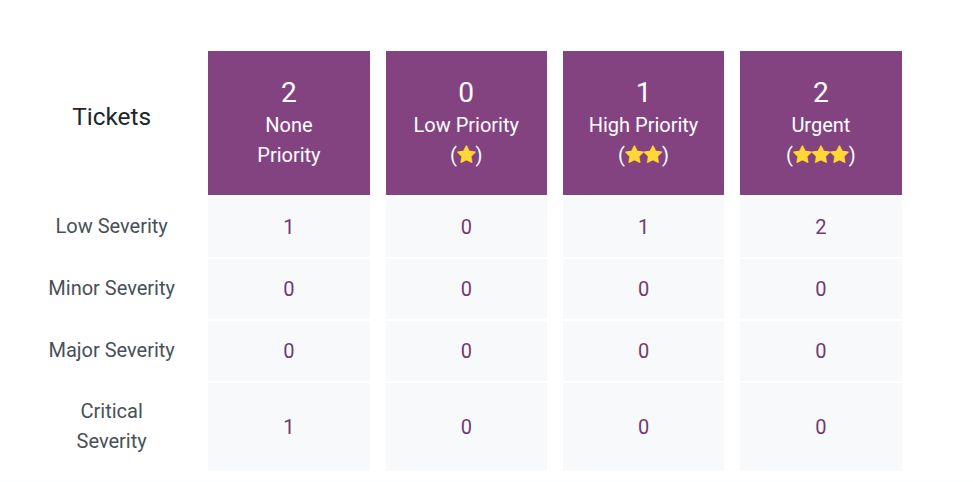
- Assign tickets to support teams with automated routing.
- Set priorities and define response and resolution deadlines (SLA).
Support history tracking
- Record the full lifecycle of each request from creation to resolution.
- Link tickets with customers, opportunities, sales orders, and invoices.
Customer support portal
- Allow customers to submit and track requests online.
- Provide real-time visibility into request status.
Service quality evaluation
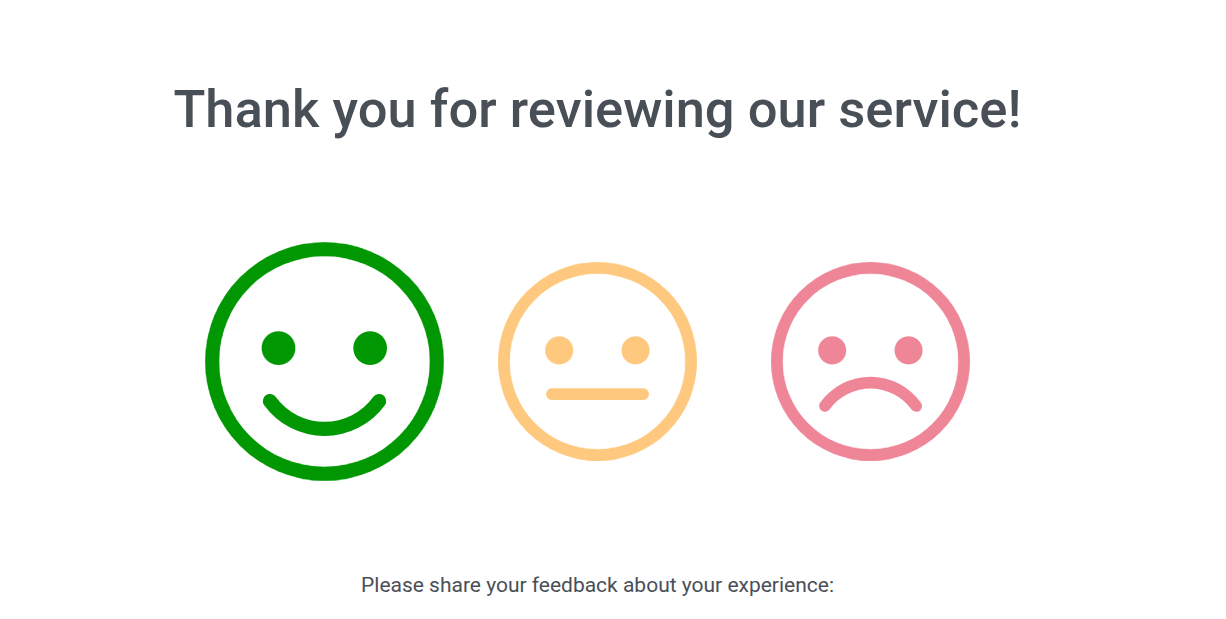
- Collect customer feedback after resolution.
- Measure support performance and service quality.
Communication & Collaboration
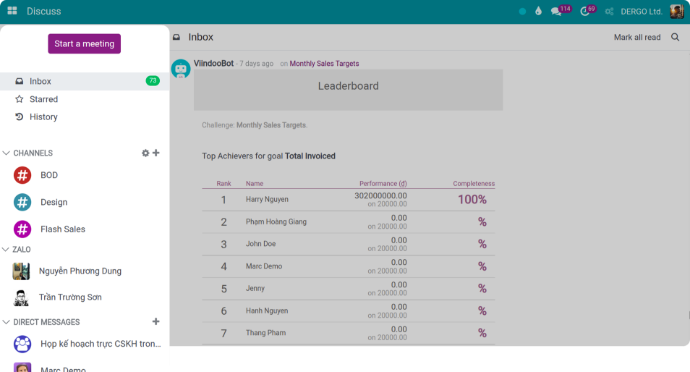
Omnichannel communication in one system
- Send and receive emails directly within viinCRM.
- Chat with customers via Zalo and Website from a single interface.
- No need to switch between multiple tools.
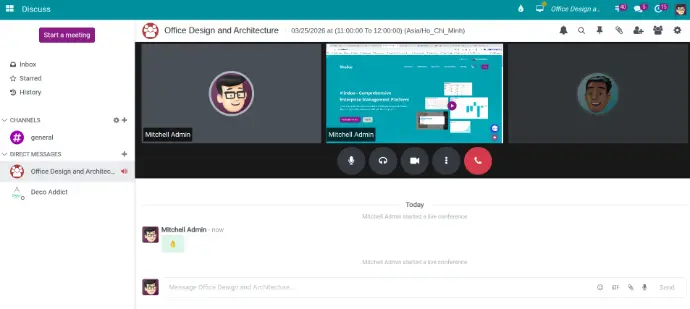
Voice & video calls
- Make voice and video calls directly within the system.
- Schedule meetings, share screens, and communicate with customers or internal teams on each opportunity or task.
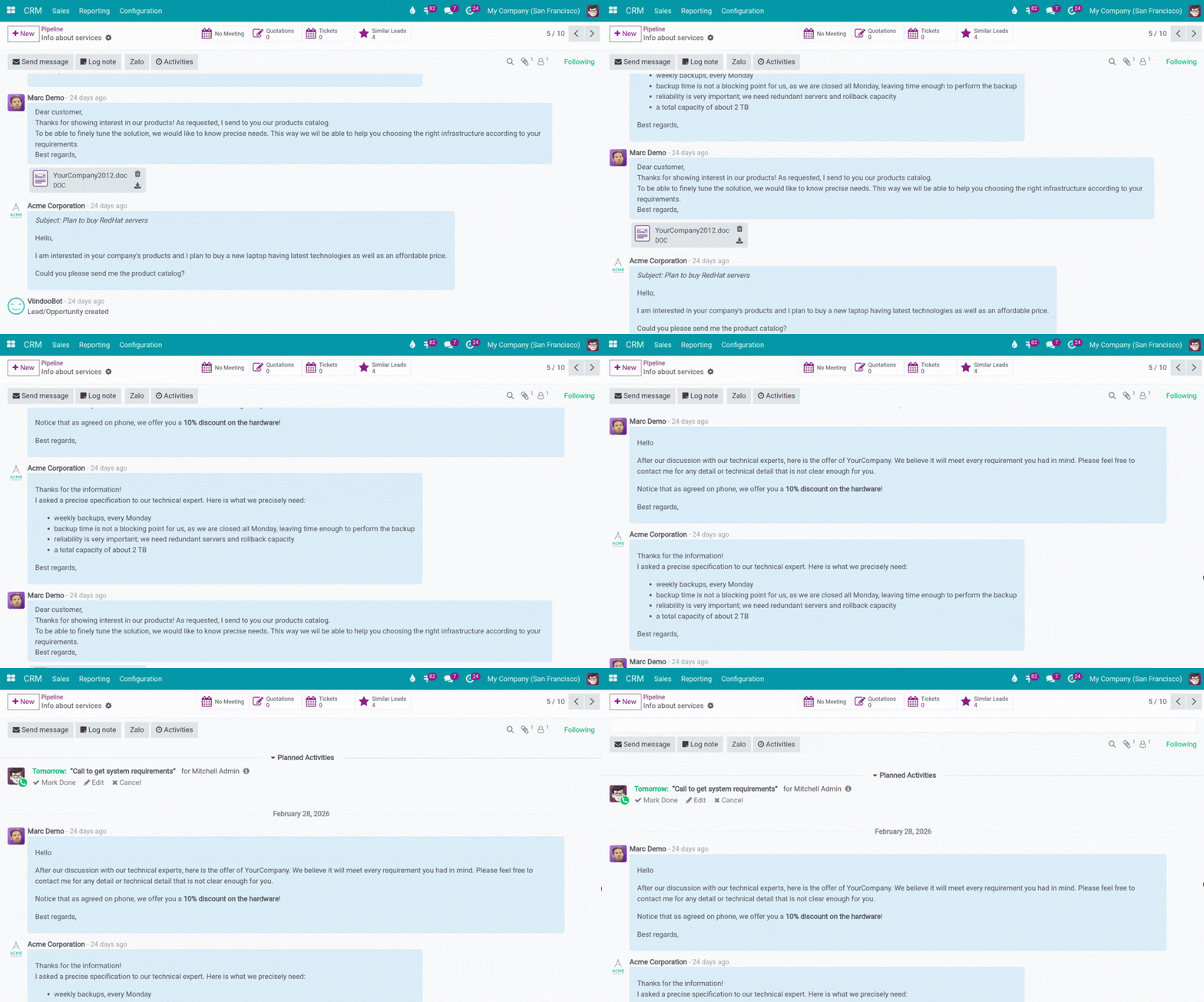
Complete interaction history
- Capture all customer interactions including emails, chats, calls, and sales activities.
- Maintain a full record of every touchpoint between your team and customers.

Customer behavior tracking
- Track customer website visits and interactions.
- Monitor touchpoints before opportunities are created.
- Link behavioral data with leads and opportunities for better insights.
Internal collaboration
- Collaborate internally within customer or opportunity records.
- Tag team members, assign tasks, and track progress.
- Eliminate the need for external chat tools.
Unified customer profile across the system
- Manage the full lifecycle from opportunity to order, invoice, and support requests in one place.
- Keep data unified across marketing, sales, accounting, and customer service.

Reporting & Dashboards
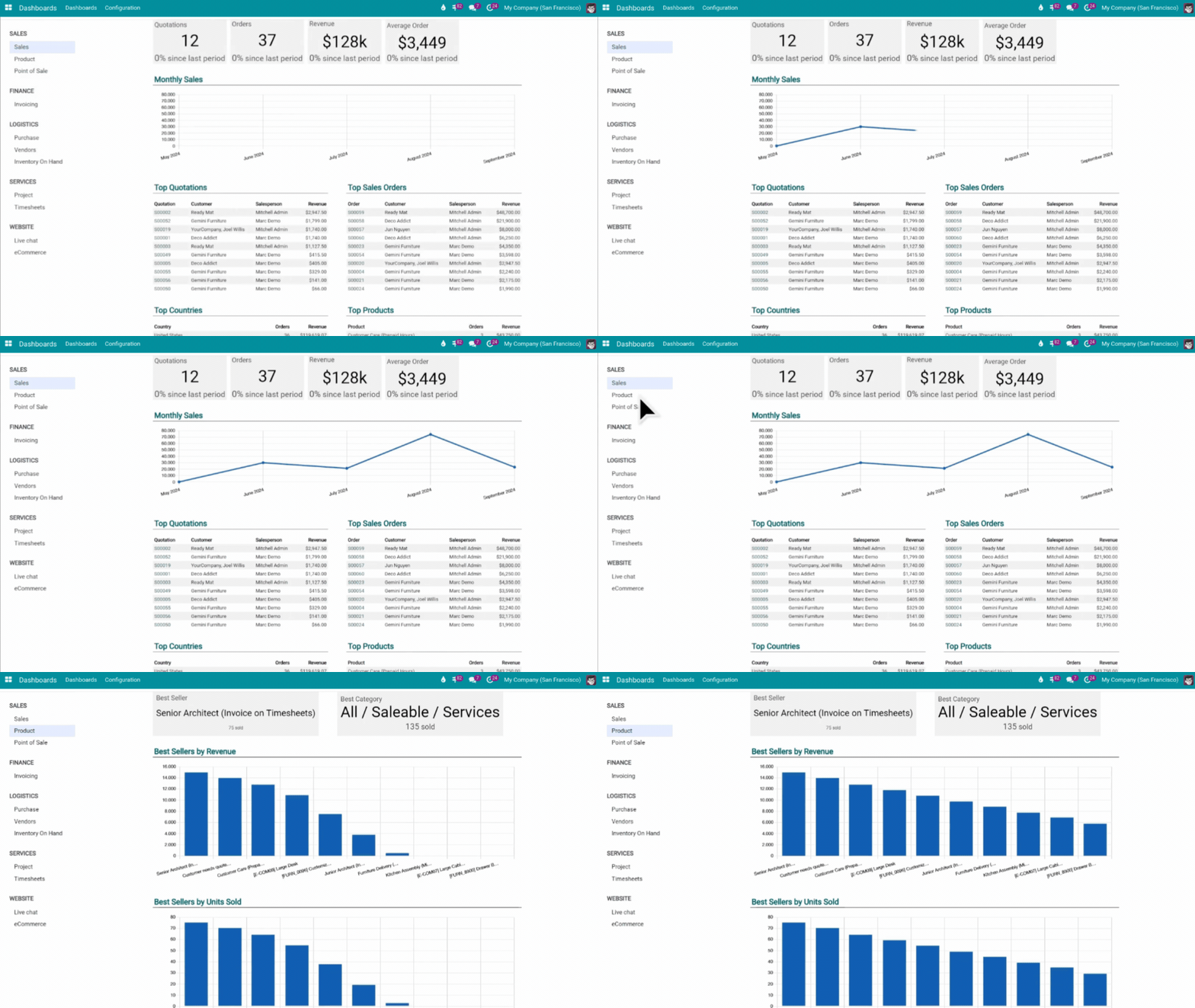
Real-time dashboards
- Monitor all CRM activities from a single screen.
- Access up-to-date data in real time.
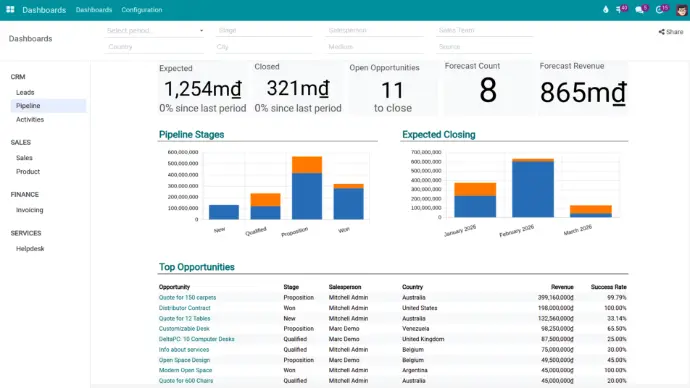
CRM analytics
- Track pipeline stages, forecast trends, and opportunity lists.
- Analyze performance by salesperson, team, or region.
- Measure sales execution and activity levels.
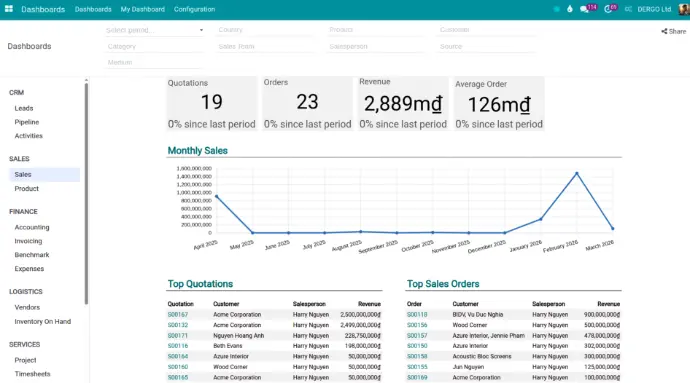
Sales analytics
- Monitor sales volume and revenue over time.
- Compare performance across individuals and teams.
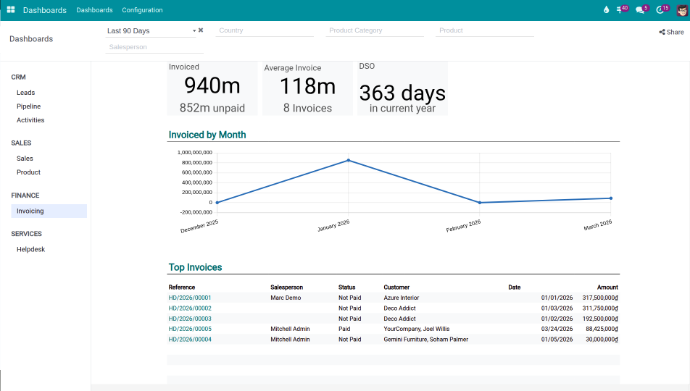
Financial analytics
- Track invoices, payments, and accounts receivable.
- Analyze cash flow and overdue balances.
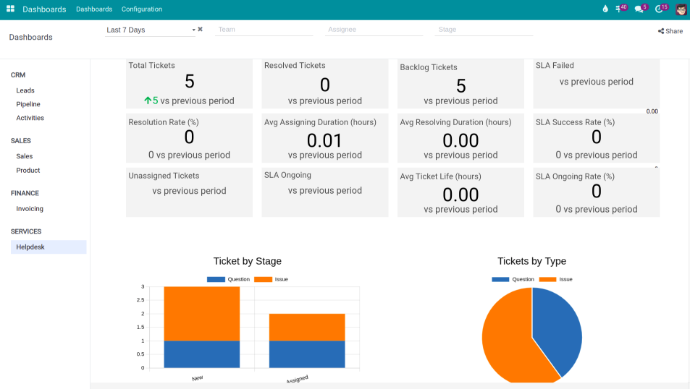
Customer support analytics
- Monitor ticket volume, status, SLA, resolution time, and backlog.
- Compare performance over time and analyze by request type or stage.
Flexible sharing
- Share reports as interactive spreadsheets via a single link.
- Allow real-time data access without requiring system login.
- Control access rights and data visibility when sharing.
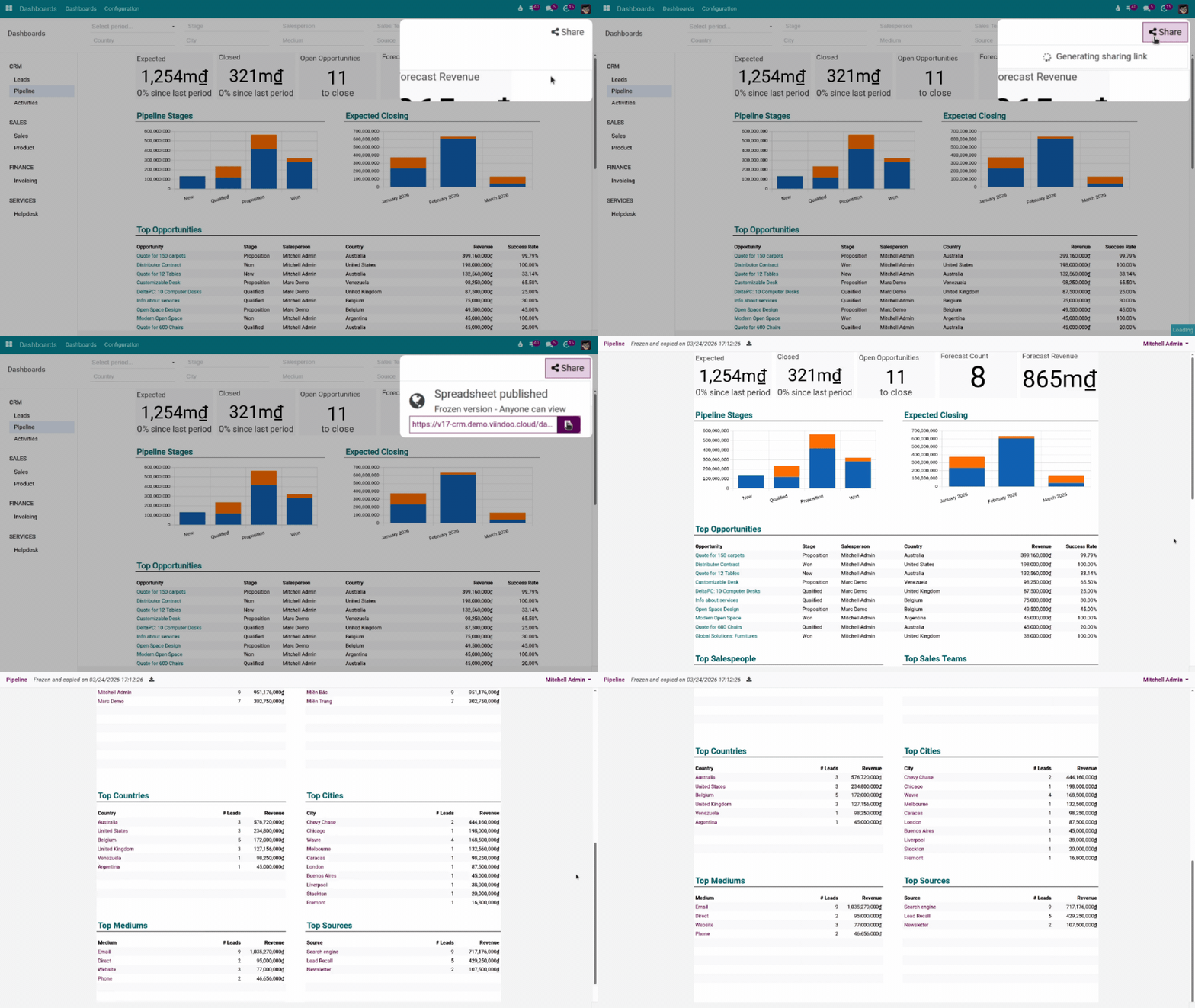
Customizable dashboards
- Build your own dashboards with drag-and-drop widgets.
- Customize pivot tables and charts by time, employee, department, or product.
Workflow Automation
Visual workflow design
- Design workflows using a visual BPMN-based interface.
- Define branching conditions based on status, deal value, or customer behavior to ensure processes follow business logic.
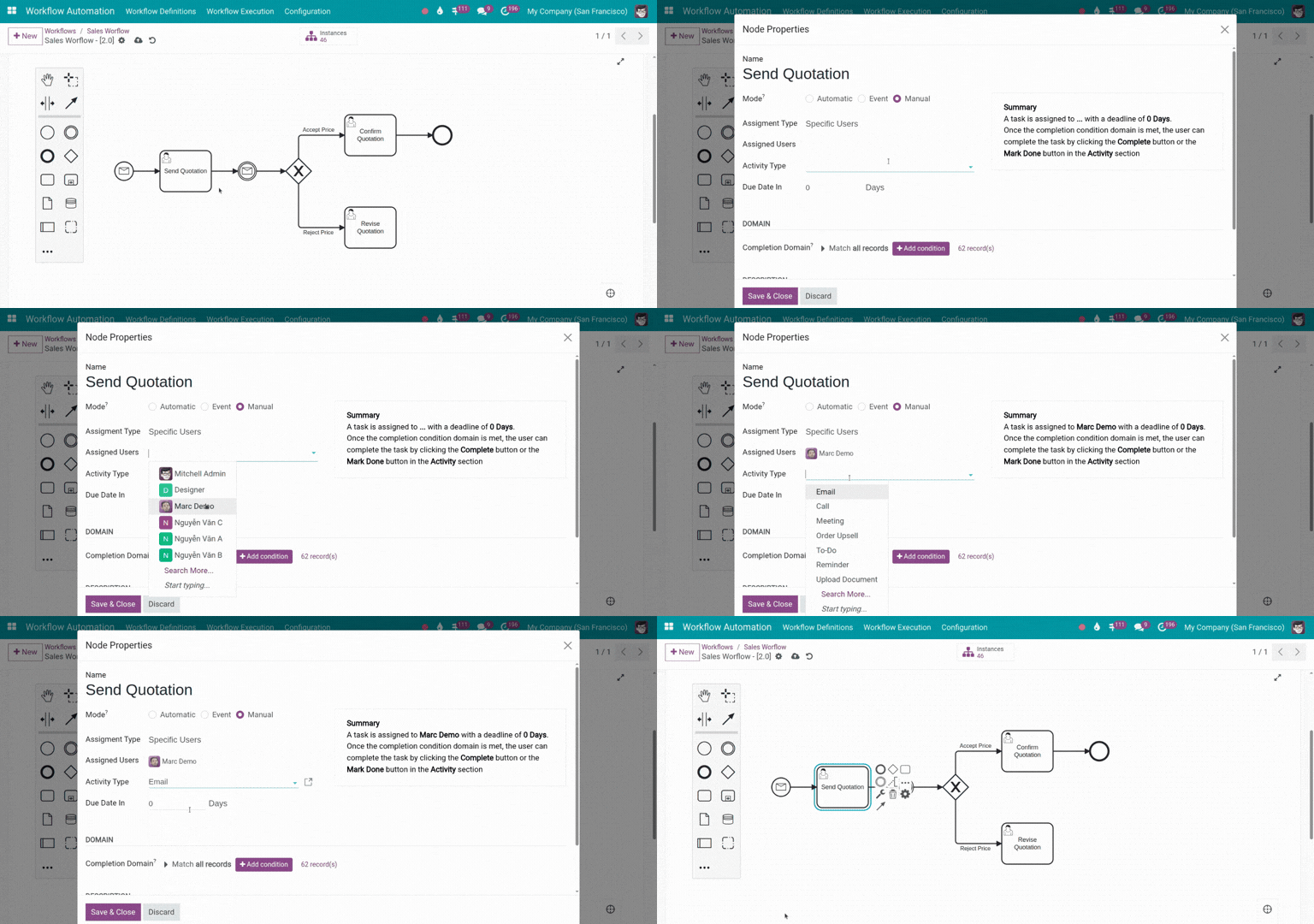
End-to-end sales and service automation
- Automate lead creation, assignment, and conversion into opportunities.
- Update deal stages based on actual activities.
- Automatically schedule tasks, set follow-up reminders, send emails, and handle support tickets.
- Reduce manual work and ensure no opportunities or requests are missed.
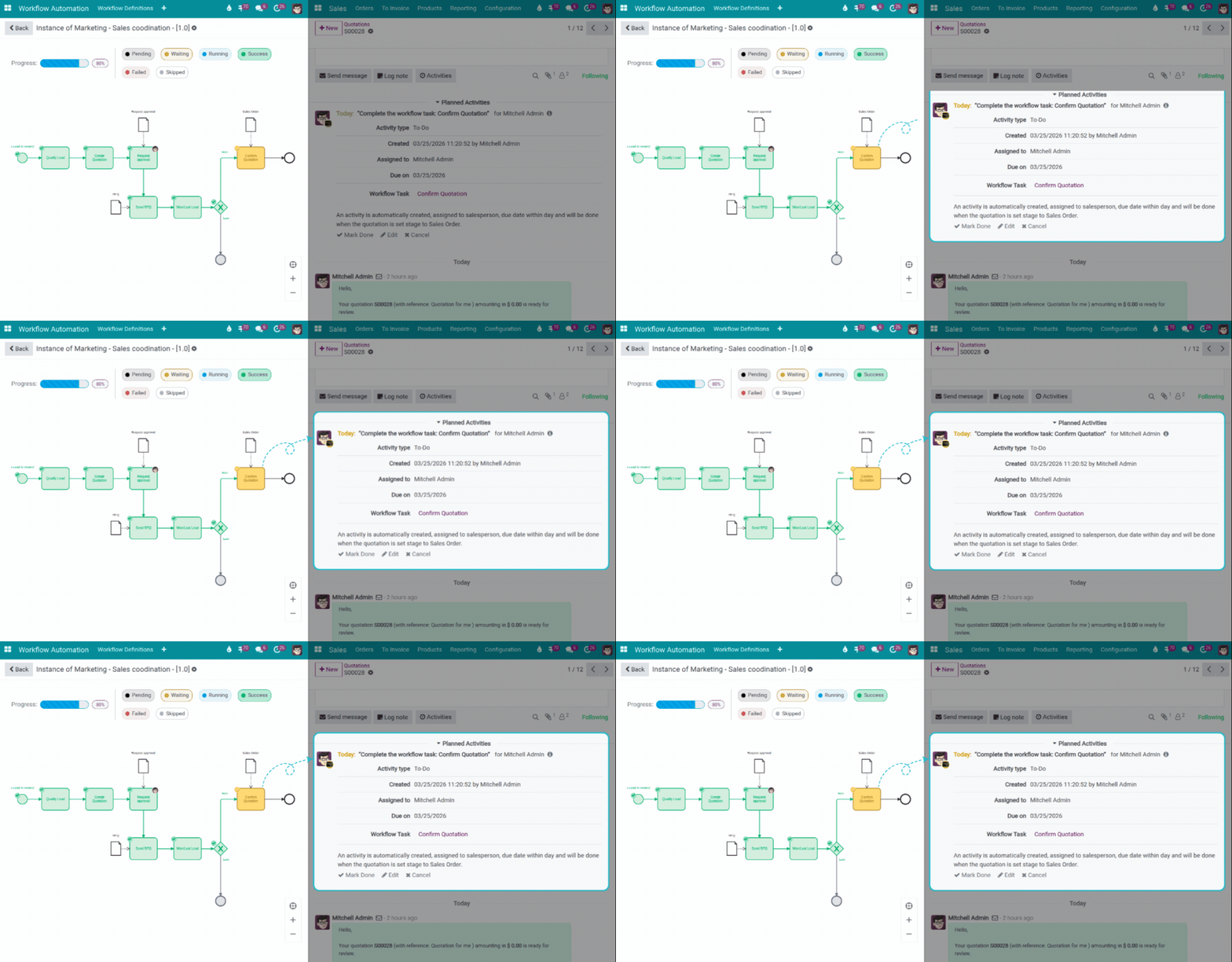
Process orchestration & control
- Execute workflows across CRM, sales, finance, and customer service.
- Track every step in the process with clear visibility of status and ownership.
- Allow manual intervention when needed while maintaining consistency and control.
Integrations
Zalo Official Account (Zalo OA)
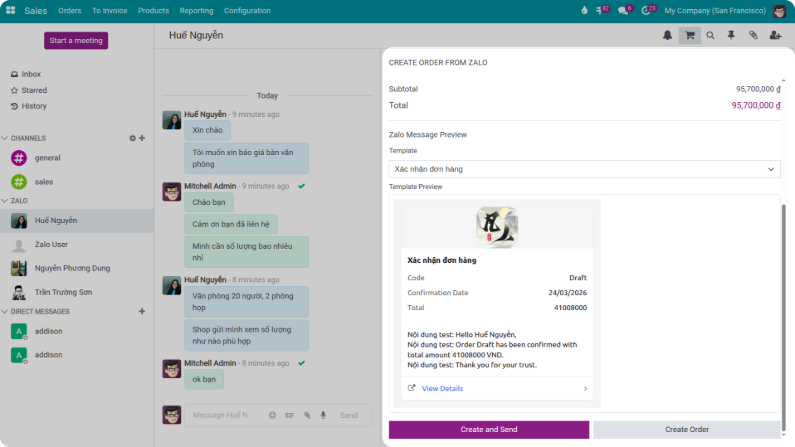
- Connect directly with Zalo Official Account to send and receive messages within the CRM.
- Link conversations with leads, opportunities, sales orders, and support tickets.
- Store full interaction history in customer and opportunity records.
- Handle consulting, quotations, and order creation directly within the conversation.
Bank integration
- Automatically retrieve exchange rates from banks such as ACB, Vietcombank, and BIDV.

Online payment gateways
- Integrate with payment platforms including ZaloPay, MoMo, VNPay, and PayPal.
- Automatically record payments and synchronize with invoices and receivables without manual input.

Google Drive
Store and manage documents directly on Google Drive.
Attach files to customers, opportunities, sales orders, or support tickets.
ChatGPT
Assist in generating emails, messages, and consultation scripts directly within the system.
Google Calendar
Sync system schedules with Google Calendar to ensure no meetings are missed.
Outlook Calendar
Synchronize with Outlook Calendar for better schedule management and visibility.