
Sales with Affiliates
| Lines of Code | 677 |
| Technical name | viin_affiliate_sale |
| License | OPL-1 |
| Website | https://viindoo.com/apps/app/16.0/viin_affiliate_sale |
| Read description for | v 13.0 v 14.0 v 15.0 v 17.0 v 18.0 v 19.0 |
| Required Apps | Invoicing (account) Discuss (mail) |
| Included Dependencies | Affiliate Management Viindoo Base Viindoo Accounting |
| Extensions | Website Affiliate POS-Sale Affiliate Management Sale & Multi-level Affiliate Affiliate Loyalty Sale Management Affiliate Sale CRM Integration Affiliate Marketplace Sale Integration |
Demo video: Sales with Affiliates
Description
This is a bridge module between Affiliate app and Sales app, allowing Businesses to easily classify and track sales orders of affiliates.
Key Features
- Add field Affiliate codes for sales orders, supporting easily distinguishing affiliate sales orders from regular sales orders with the corresponding affiliate code.
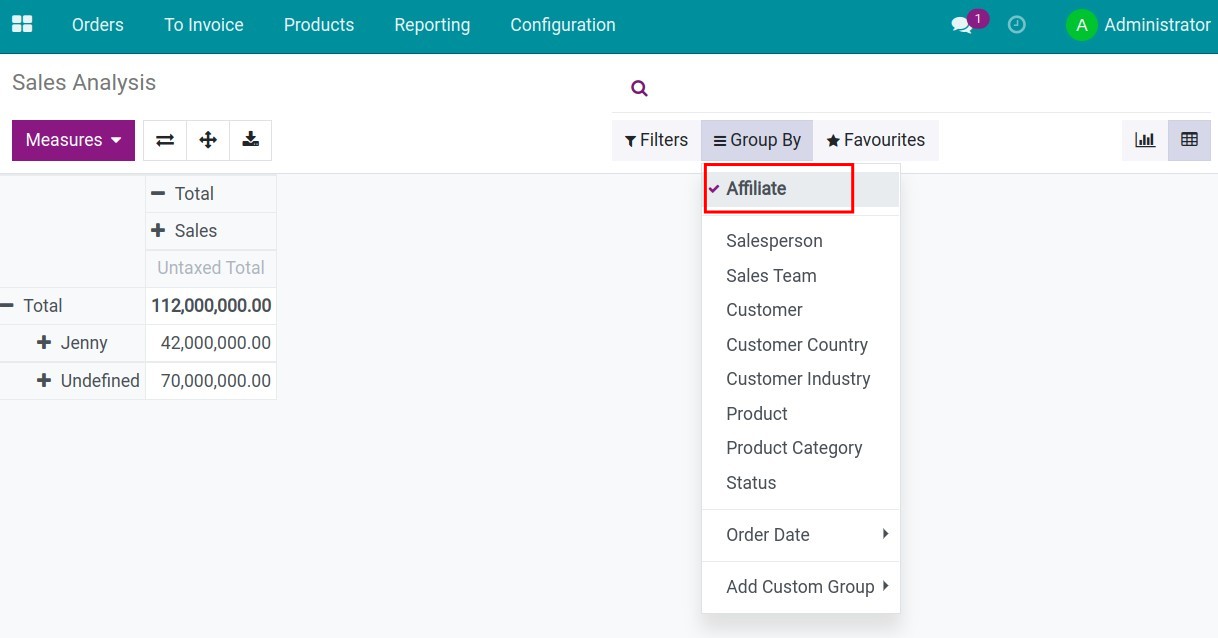
- Add the Affiliate group on the filters and groups tool of Viindoo Sales, allowing quick grouping of sales orders by each affiliate.
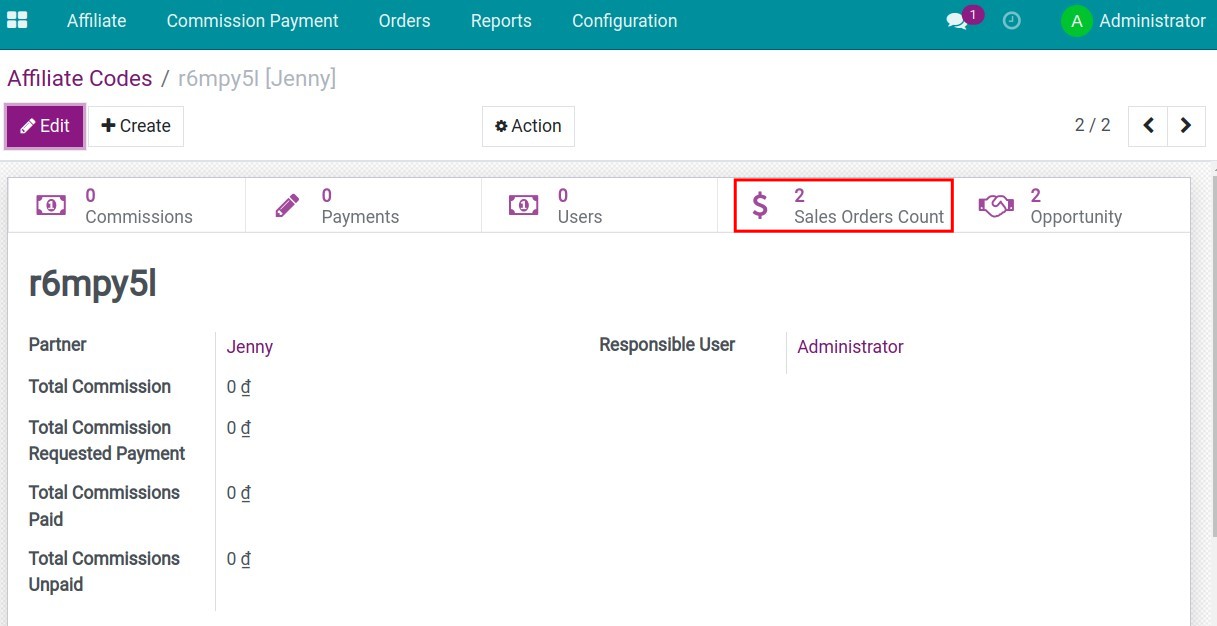
- Provide Sales Orders Count button on each affiliate code in the Affiliate app, helping quickly track the number of sales orders on that affiliate code.
Editions Supported
- Community Edition
- Enterprise Edition
Installation
- Navigate to Apps.
- Search with keyword viin_affiliate_sale.
- Press Install.
Instruction
Instruction video: Sales with Affiliates
Select the affiliate code on the sales order
After installing the application, you can select the affiliate code on the sales order through the following steps:
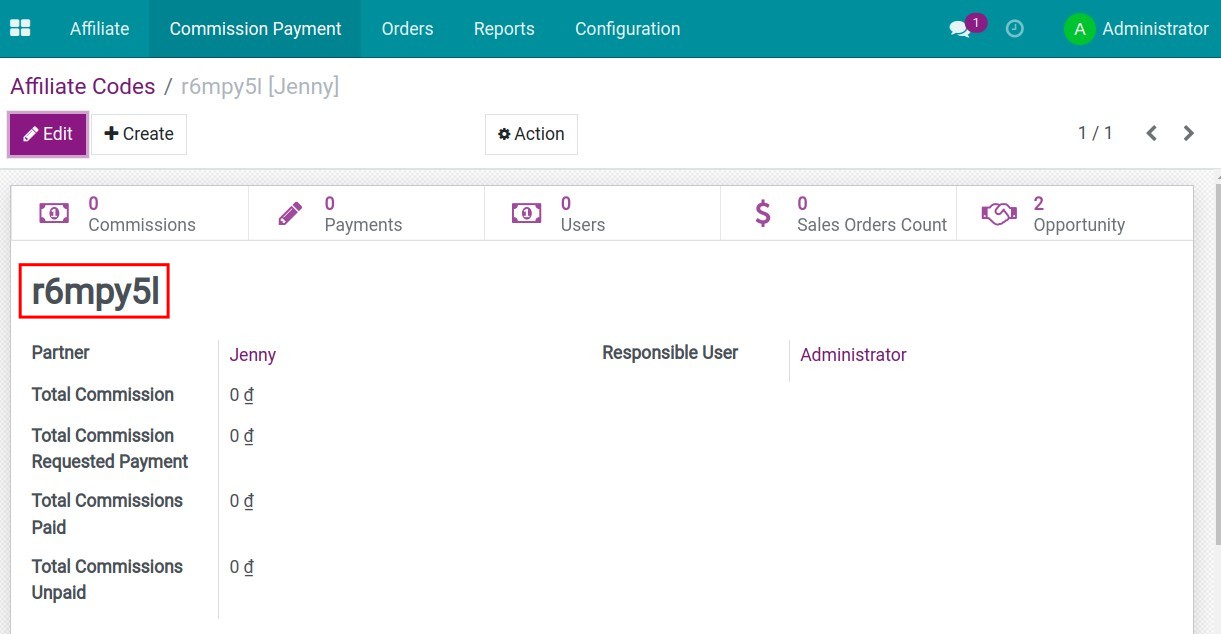
- Step 1: Go to Affiliate > Affiliate > Affiliate codes > Create. After entering information and Save, the system will automatically generate a sequence of numbers, these are the codes of the affiliates.
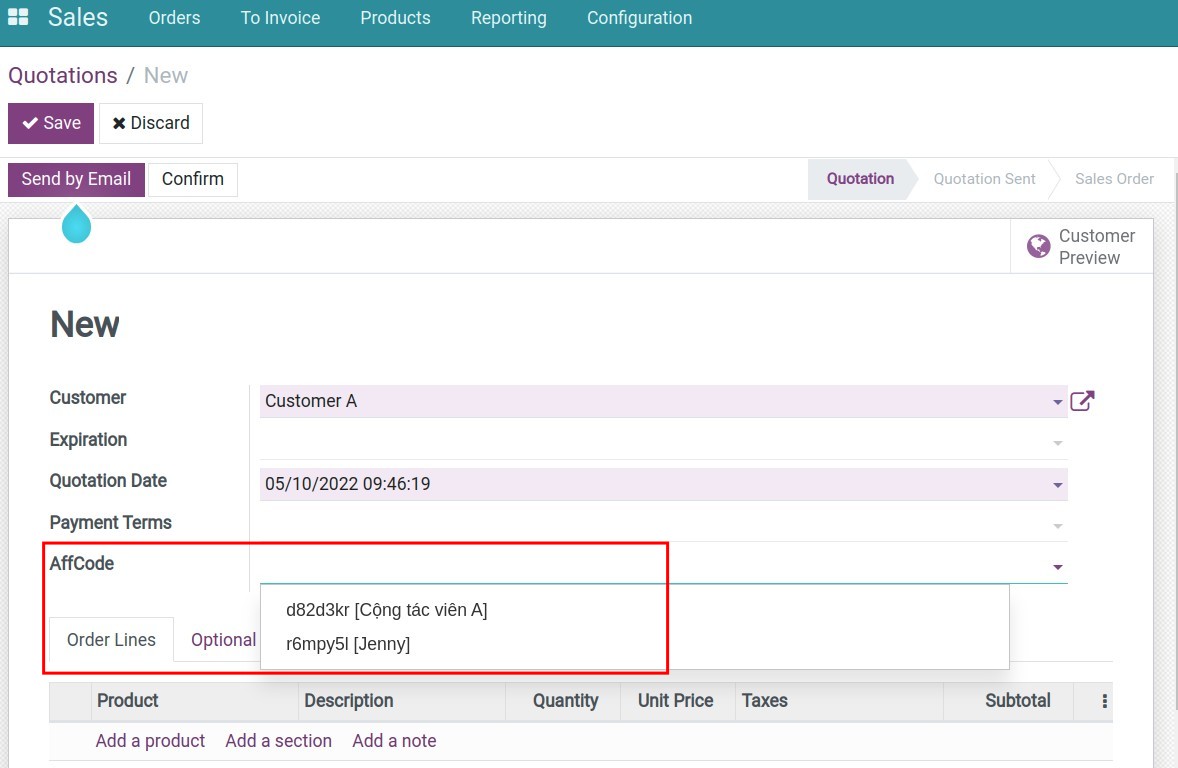
- Step 2: Go to Sales > Orders > Quotations > Create. On the quotation view, you select the code of the relevant affiliate in the AffCode field.
- Step 3: Click Save > Confirm and return to the affiliate code generation view, the system supports statistics on the total of related sales orders.
Sales report by affiliate code
To view sales reports by affiliate criteria, go to Sales > Reporting > Sales. Use filter or group by to display the sales orders and revenue information of each affiliate.
This software and associated files (the "Software") may only be used (executed, modified, executed after modifications) if you have purchased a valid license from the authors, typically via Odoo Apps, or if you have received a written agreement from the authors of the Software (see the COPYRIGHT file).
You may develop Odoo modules that use the Software as a library (typically by depending on it, importing it and using its resources), but without copying any source code or material from the Software. You may distribute those modules under the license of your choice, provided that this license is compatible with the terms of the Odoo Proprietary License (For example: LGPL, MIT, or proprietary licenses similar to this one).
It is forbidden to publish, distribute, sublicense, or sell copies of the Software or modified copies of the Software.
The above copyright notice and this permission notice must be included in all copies or substantial portions of the Software.
THE SOFTWARE IS PROVIDED "AS IS", WITHOUT WARRANTY OF ANY KIND, EXPRESS OR IMPLIED, INCLUDING BUT NOT LIMITED TO THE WARRANTIES OF MERCHANTABILITY, FITNESS FOR A PARTICULAR PURPOSE AND NONINFRINGEMENT. IN NO EVENT SHALL THE AUTHORS OR COPYRIGHT HOLDERS BE LIABLE FOR ANY CLAIM, DAMAGES OR OTHER LIABILITY, WHETHER IN AN ACTION OF CONTRACT, TORT OR OTHERWISE, ARISING FROM, OUT OF OR IN CONNECTION WITH THE SOFTWARE OR THE USE OR OTHER DEALINGS IN THE SOFTWARE.