
Vietnam Payroll by Administrative Regions
by Viindoo
| Lines of Code | 436 |
| Technical name | l10n_vn_viin_hr_payroll_administrative_region |
| License | OPL-1 |
| Website | https://viindoo.com/apps/modules/19.0/l10n_vn_viin_hr_payroll_administrative_region |
| Read description for | v 13.0 v 14.0 v 15.0 v 16.0 v 17.0 v 18.0 |
| Required Apps | Time Off (hr_holidays) Discuss (mail) Employees (hr) Calendar (calendar) |
| Included Dependencies | Payroll Vietnam - Payroll Employee Relatives Viindoo Base Advanced HR Management HR Contracts (Viindoo) Work Entry Viin Time-Off Work Entry - Contract Viin - Holiday Work Entry Base Addendum Payroll By Administrative Regions Viindoo Holiday & WorkDay Manager Administrative Region Management Safe IR Metadata Proxies |
Regional minimum wages for Vietnam, ready in your payroll
For Vietnamese companies with employees working in several regions, and for their HR and payroll teams
Localize the Payroll By Administrative Regions for Vietnam
Works with Payroll by Administrative Regions, Vietnam Payroll
Is this you?
You keep the four regional minimum wages in a spreadsheet and retype them into payroll.
Nobody can say which amount a past payslip used when the law changed mid-year.
Employees in Hanoi and in a rural branch are paid by the same rule, and you correct payslips by hand.
Every change in the law means a call to the people who maintain the software.
What changes
The four regions and their amounts are already in the system.
→ Start from a complete list of Region I to Region IV with the minimum wage and the unemployment insurance ceiling of each.
Amounts carry their validity dates.
→ See which amount was in force for any pay period, and keep the history when the law changes.
Each payslip follows the place where the employee works.
→ Set the region once on each work address and payslips pick the right amounts without manual fixes.
Your payroll team updates the figures themselves.
→ When the law changes, close the old amount and add the new one with its start date, with no programming.
How it works
Check
Payroll Administrator reviews the regions and amounts shipped with the module against the law in force, and corrects what differs.
Assign
HR Administrator chooses the region of each company or branch address used as a work address.
Pay
Payroll Officer computes payslips, which use the amounts of the employee's region in force on the last day of the period.
Update
Payroll Administrator closes an amount and adds the new one with its start date whenever the law changes.
Key Features
Four regions ready
Region I to Region IV are provided for Vietnam, so you do not start from an empty list.
Dated statutory amounts
The monthly minimum wage and the maximum base for unemployment insurance of each region, each with the period it applies to.
Region follows the work address
Payslips use the region of the employee's work address on the last day of the pay period.
Minimum wage for salary rules
Salary rules can read the minimum wage of the region where the employee works.
Updated by your team
Payroll managers change the figures in Payroll, with no programming, and the history is kept.
Your changes are kept
Amounts shipped by the module are not overwritten when the module is updated.
Who it is for
Payroll Administrator
Needs the regional figures to be correct, dated and easy to update when the law changes.
HR Administrator
Needs a simple way to say in which region each branch or work address is.
Payroll Officer
Needs payslips that use the right regional amounts without manual correction.
Finance Director
Needs a traceable history of the regional amounts the payslips used.
Best for: Companies in Vietnam with employees working in several regions; HR and payroll teams who keep the regional amounts as data they review and update.
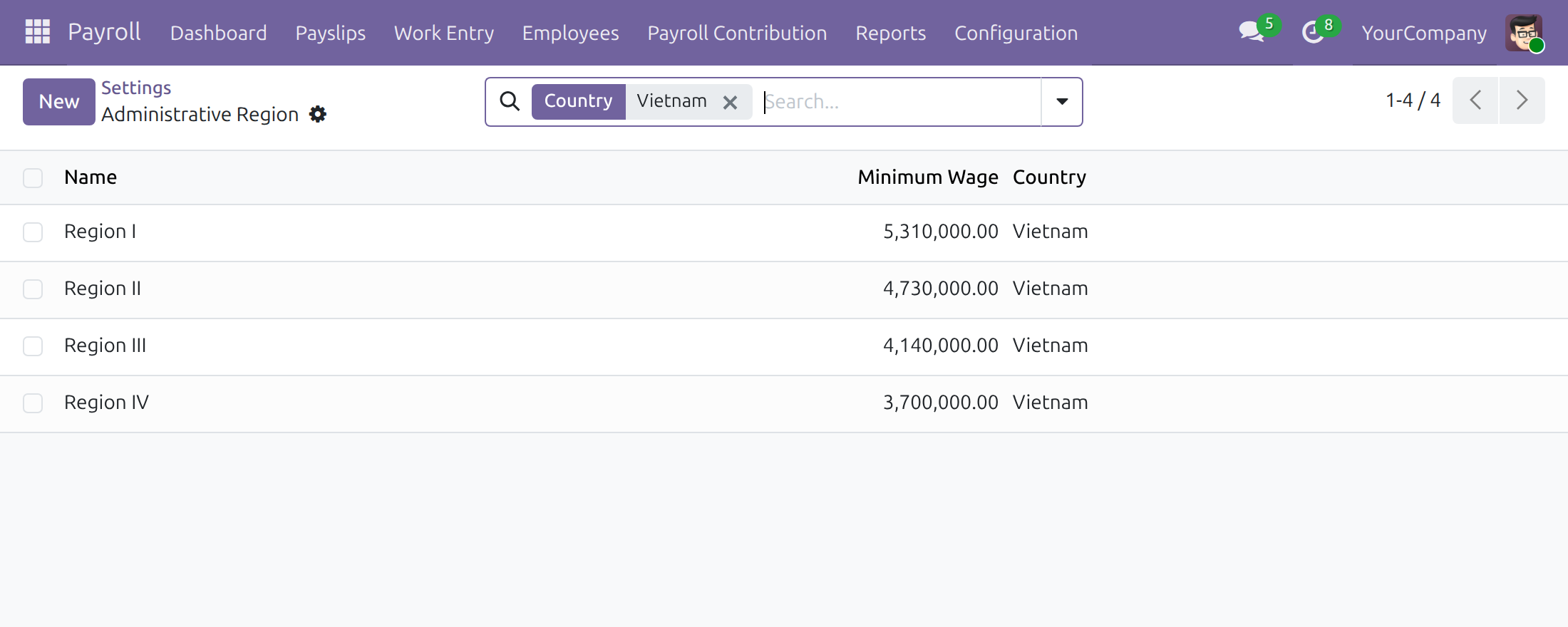
Check the minimum wage of each region
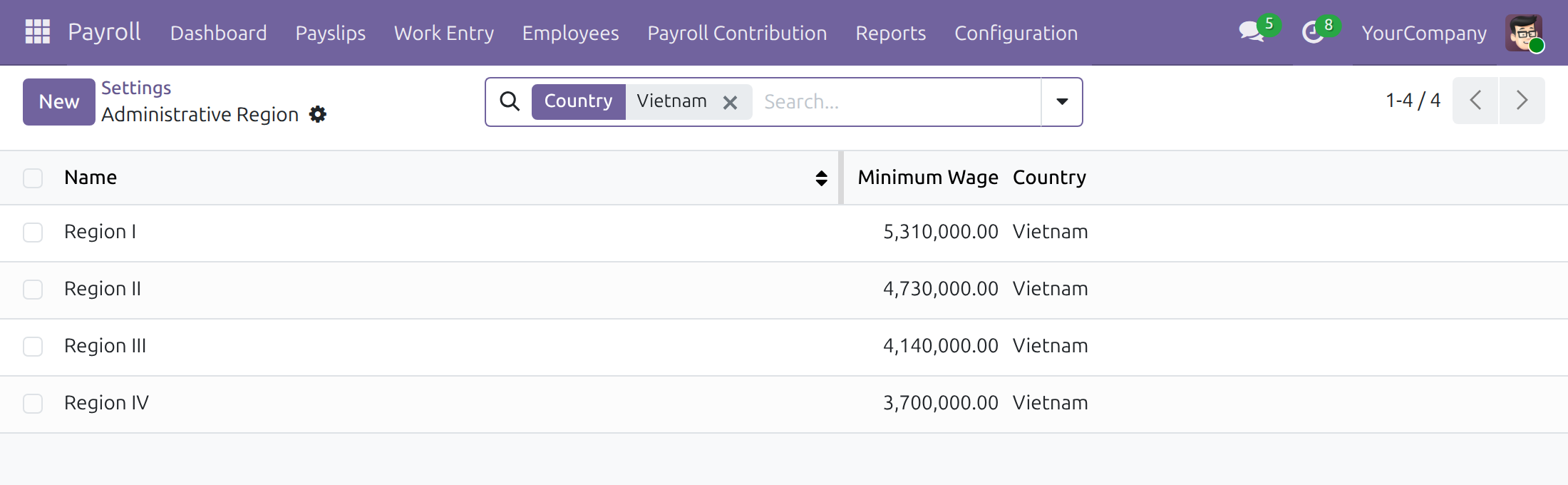
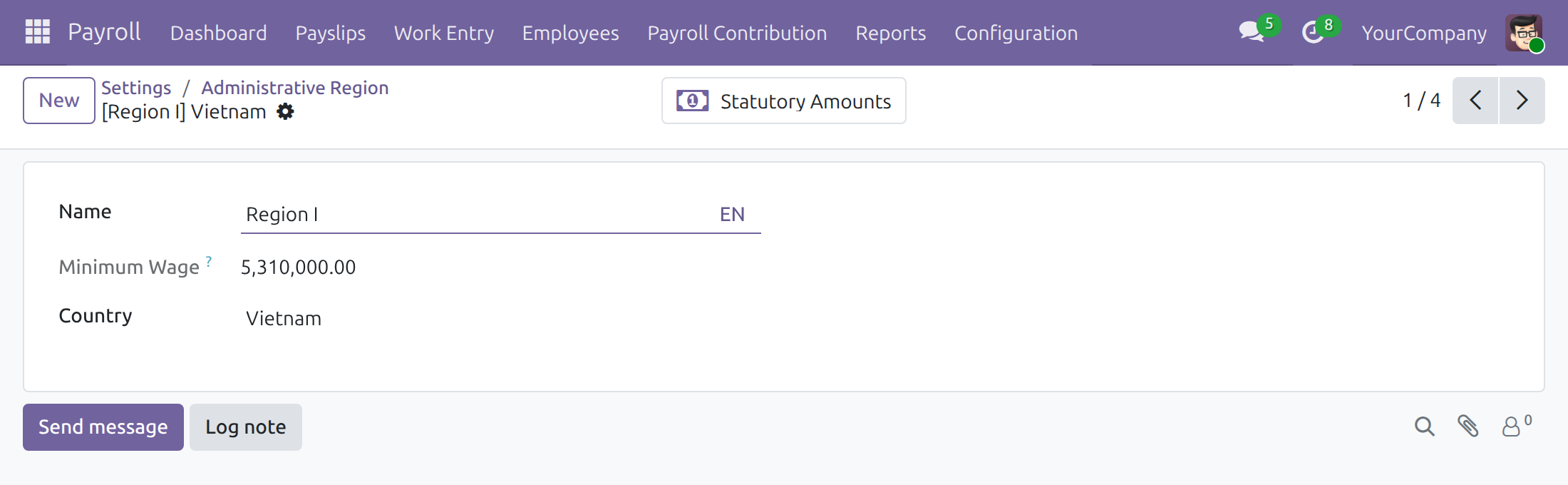
Open the amounts recorded for a region
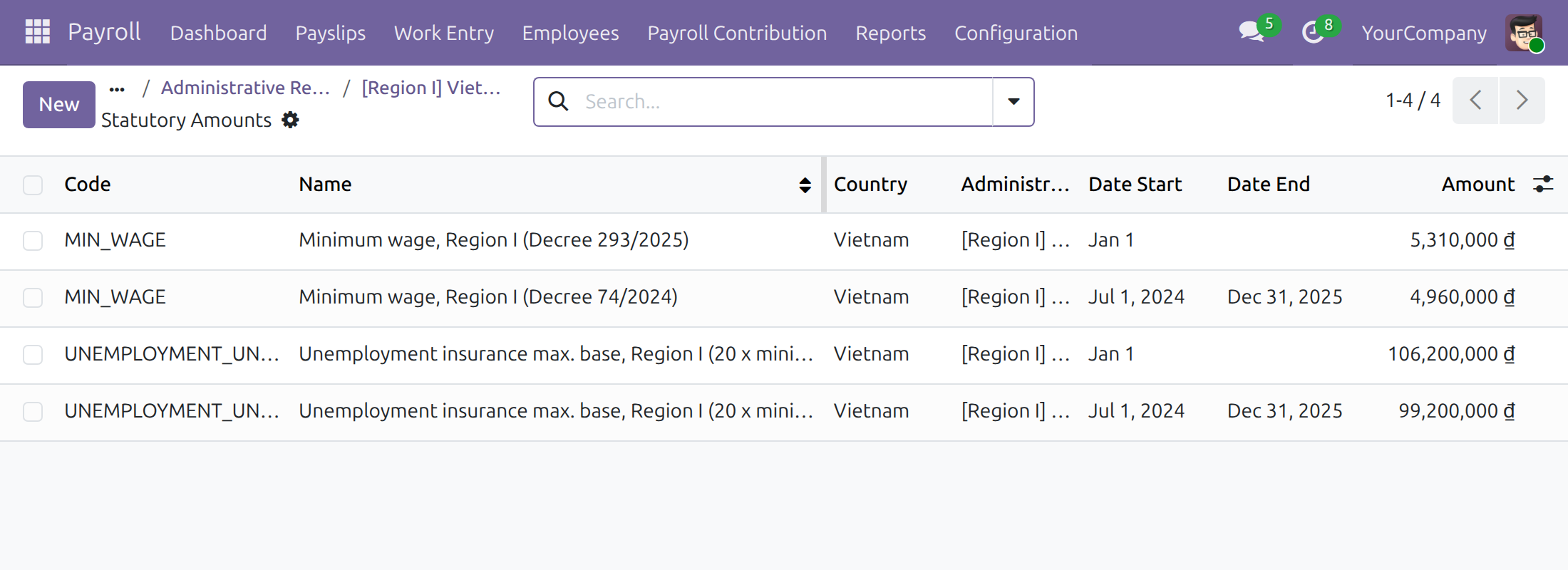
Read each amount with its validity period
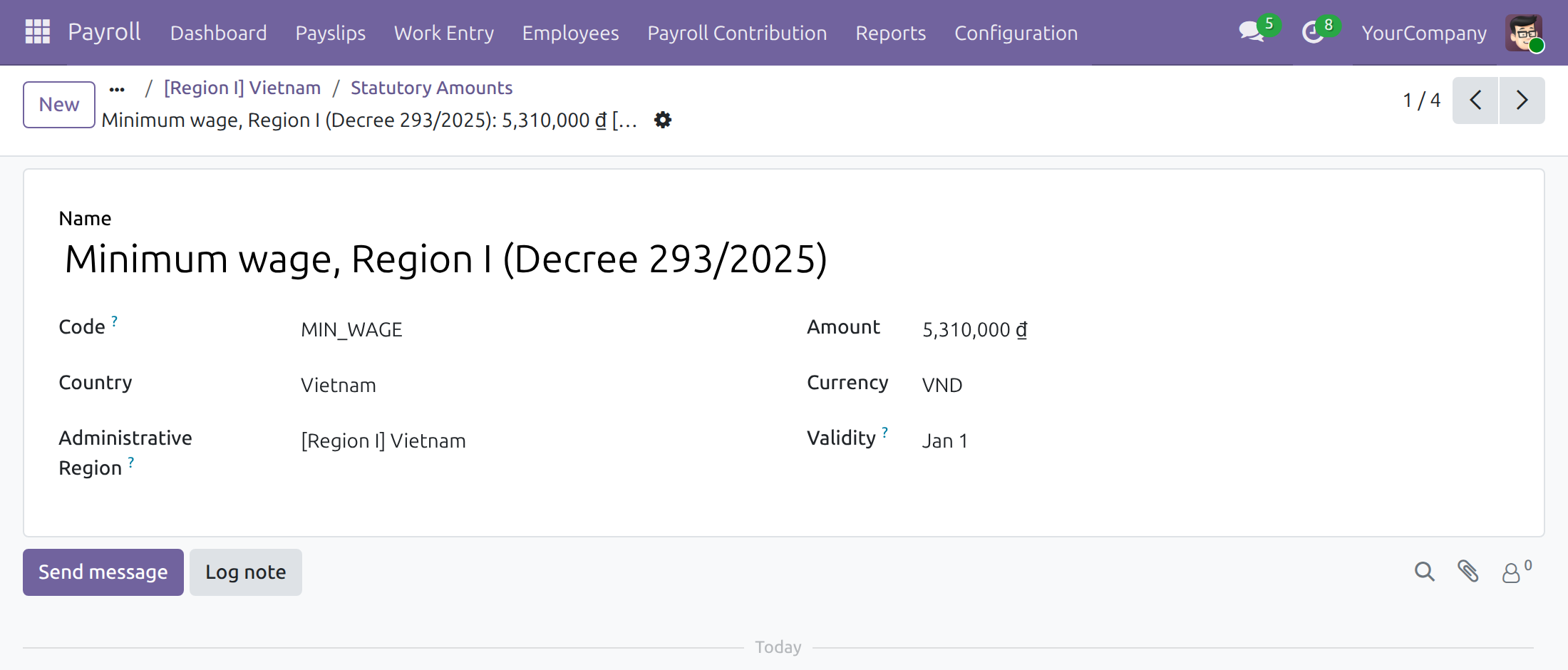
Edit one amount: value, region and dates
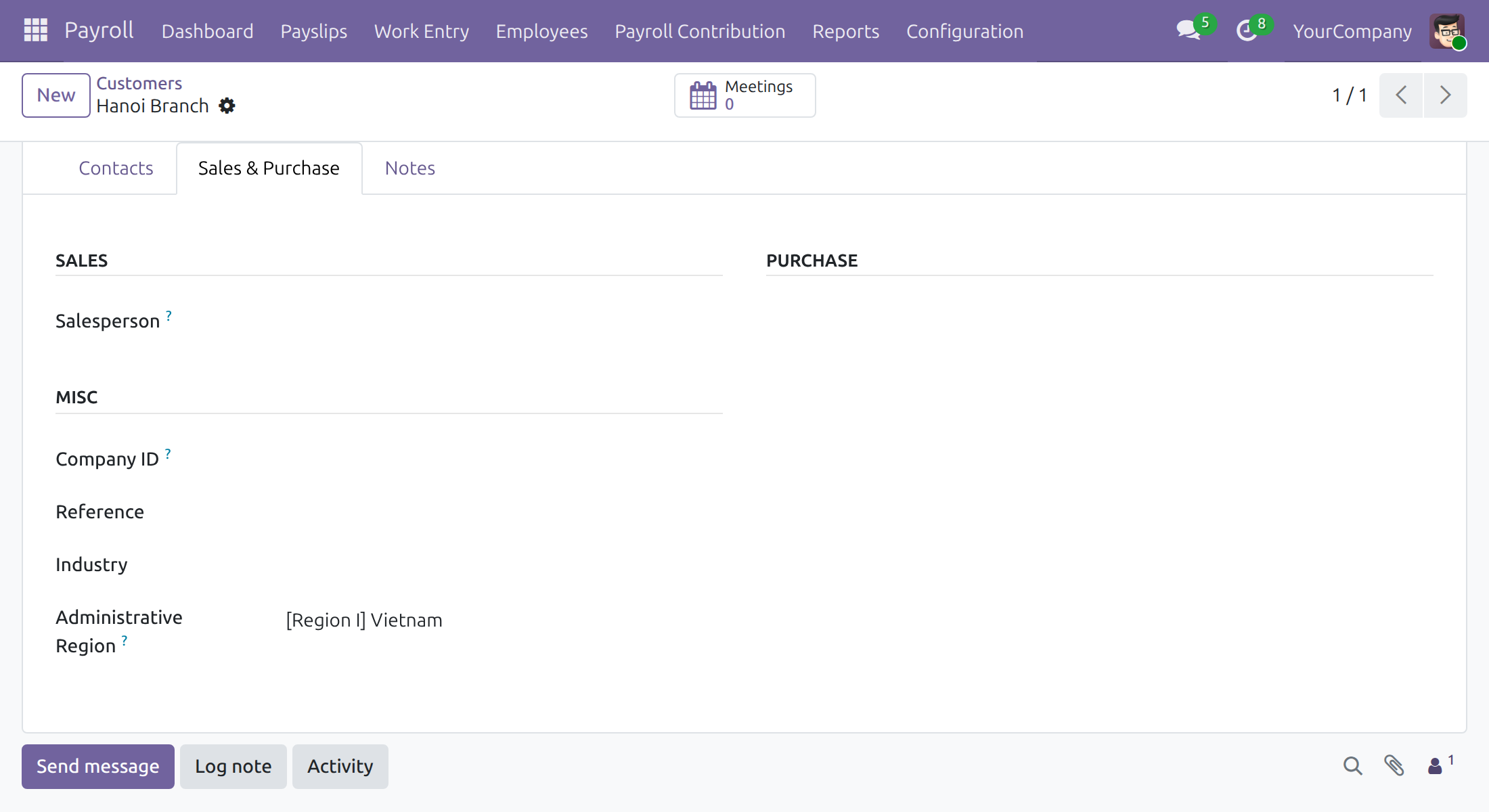
Set the region of a work address
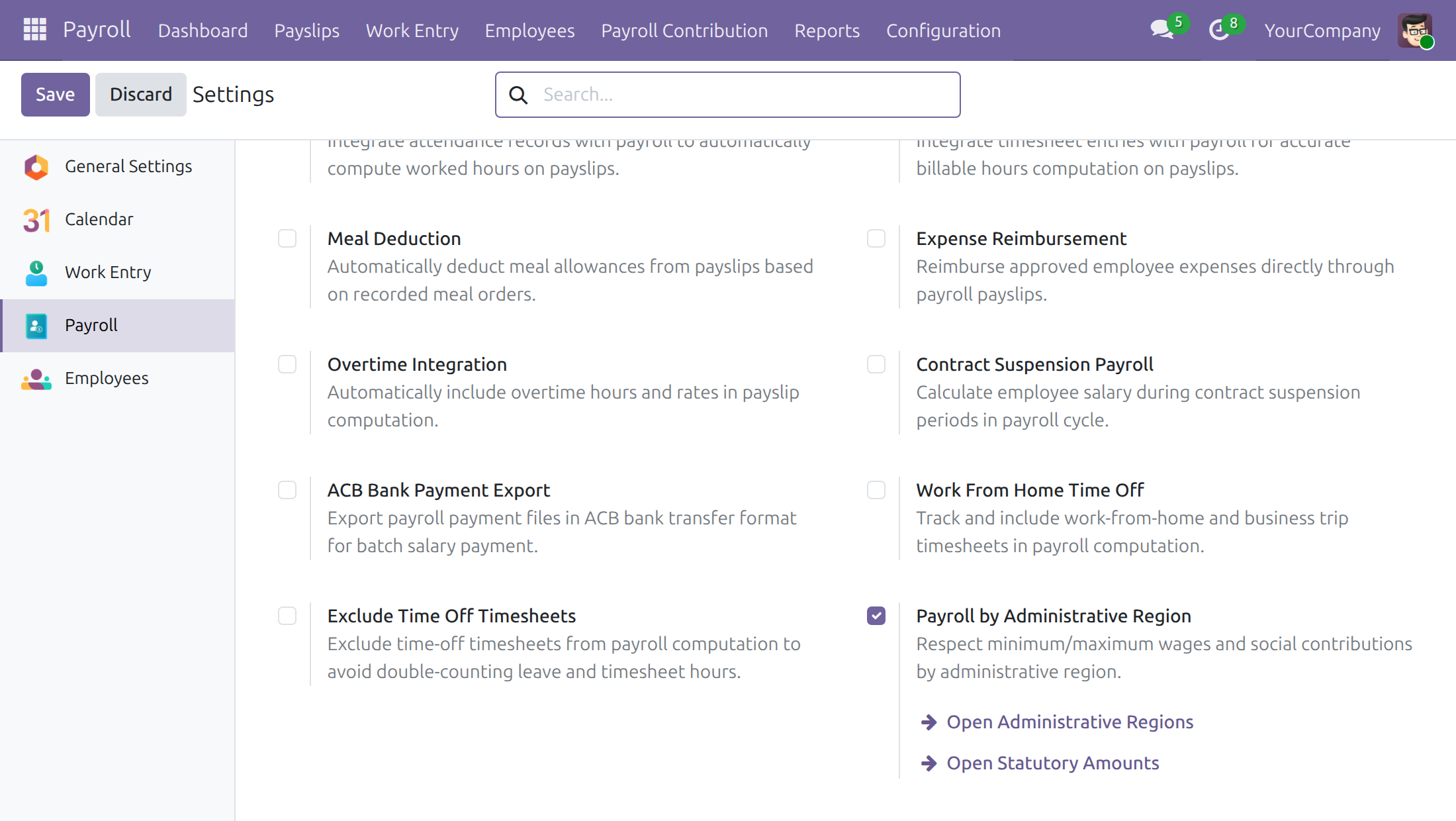
Reach regions and amounts from Payroll settings
Frequently Asked Questions
Are the legal amounts fixed by the software?
No. They are ordinary dated data. The values shipped are example data to verify against the law in force; the Payroll Administrator updates them whenever the law changes.
Who can change the amounts?
Users with the Payroll: Administrator access right. Payroll Officers can read the amounts but not change them.
What happens when an area moves to another region?
Confirm the payslips of earlier periods first, then change the region of the addresses in that area. A region has no start date, so a draft payslip of an earlier period would use the new region.
Does the minimum wage raise contribution bases by itself?
No. A contribution base is limited only by the amounts recorded for its contribution type.
Does it work for companies outside Vietnam?
The shipped data is for Vietnam. The current minimum wage of the Vietnamese regions shows as 0 for a company whose country is not Vietnam.
Need help with Vietnam Payroll by Administrative Regions?
Technical Support
https://viindoo.com/ticketPre-Sales
https://viindoo.com/contactusTechnical Requirement
- Odoo version: 19.0
- Editions: Odoo Community, Odoo Enterprise, Viindoo Cloud
- Required modules: l10n_vn_viin_hr_payroll, viin_hr_payroll_administrative_region
- License: OPL-1
- Live demo: v19demo-int.viindoo.com
Vietnam Payroll by Administrative Regions
Note
Who this guide is for: the Payroll Administrator who keeps the regional amounts up to date, the HR Administrator who sets the region of each work address, and the Payroll Officer who runs payslips and needs to know where the regional amounts come from.
Note
Extends Payroll by Administrative Regions and Vietnam Payroll - see their documentation.
Overview
Vietnamese employers pay a regional minimum wage that depends on the area where an employee works, and several contributions are capped in relation to it. This module gives a Vietnamese company those regional figures ready to use, so payroll does not start from an empty list.
What the module brings:
- The four regions of the regional minimum wage, Region I to Region IV, linked to Vietnam.
- For each region, dated Statutory Amounts: the monthly minimum wage and the maximum base for unemployment insurance contributions, with the period each one is in force. The monthly minimum wage is available to salary rules, so a rule can read the amount of the region where the employee works.
The amounts are ordinary data. They are not fixed by the software: the Payroll Administrator reviews them against the law currently in force and updates them whenever the law changes.
How the work flows:
- The Payroll Administrator checks the shipped amounts and keeps them current.
- The HR Administrator sets the administrative region of each company or branch address used as a work address.
- The Payroll Officer computes payslips. Each payslip uses the amounts of the region of the employee's work address on the last day of the pay period, in force on that day.
| Role | What they do | Access right to assign |
|---|---|---|
| Payroll Administrator | Creates and edits regions and Statutory Amounts; sees the current minimum wage of each region; opens the regions from the menu Payroll > Configuration > Payroll Entry > Administrative Regions | Payroll: Administrator (includes Administrative Region Creation) |
| HR Administrator | Sets the administrative region of work addresses | Employees: Administrator, plus Contact: Creation to be able to save a contact |
| Payroll Officer | Runs payslips; can read the Statutory Amounts and the minimum wage of a region, but not change them | Payroll: Officer |
Setup (for the Payroll Administrator)
Open Apps, search for Vietnam Payroll by Administrative Regions and press Install. The module also installs by itself when Payroll by Administrative Regions and Vietnam Payroll are both installed.
Give each person the access right of the table above in Settings ‣ Users & Companies ‣ Users.
Open Payroll ‣ Configuration ‣ Settings. In the setting Payroll by Administrative Region, the links Open Administrative Regions and Open Statutory Amounts lead to the two lists used below.
Payroll Administrator: check the shipped regions and amounts
Check the data once after installation and again every time the law on regional minimum wages changes.
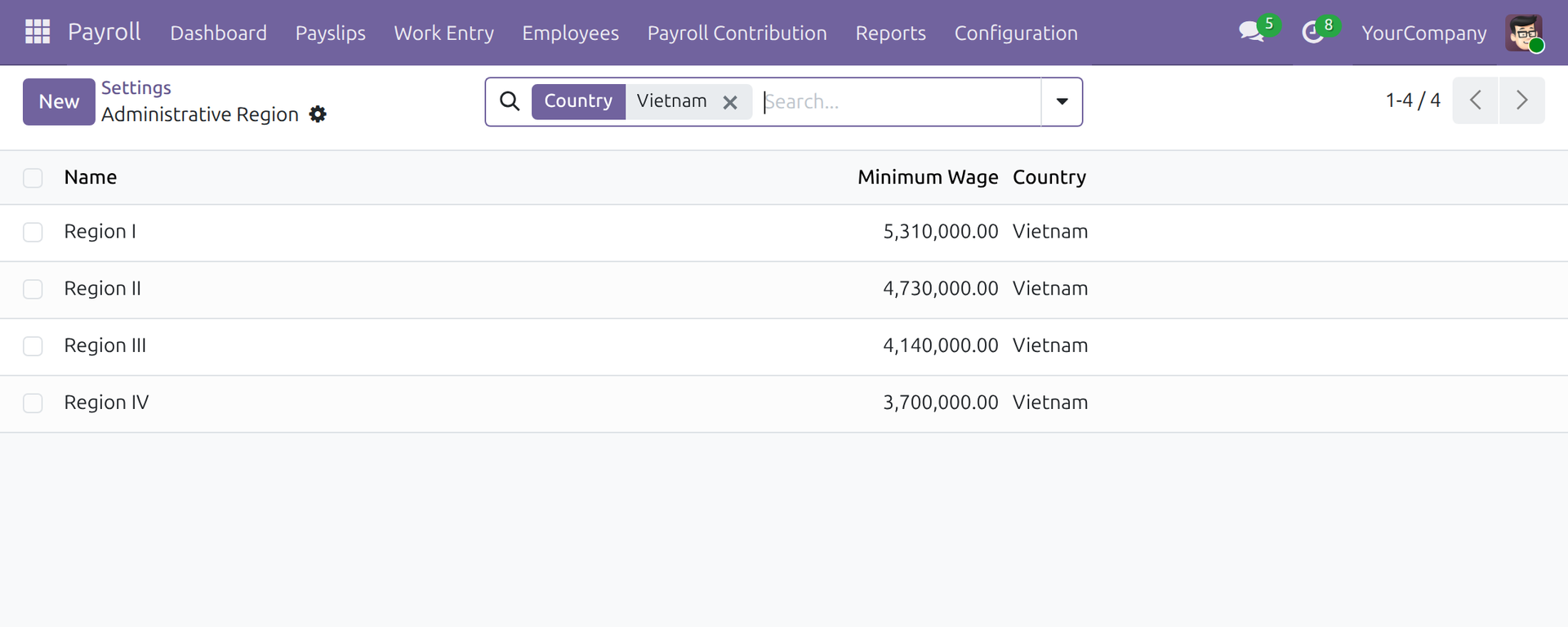
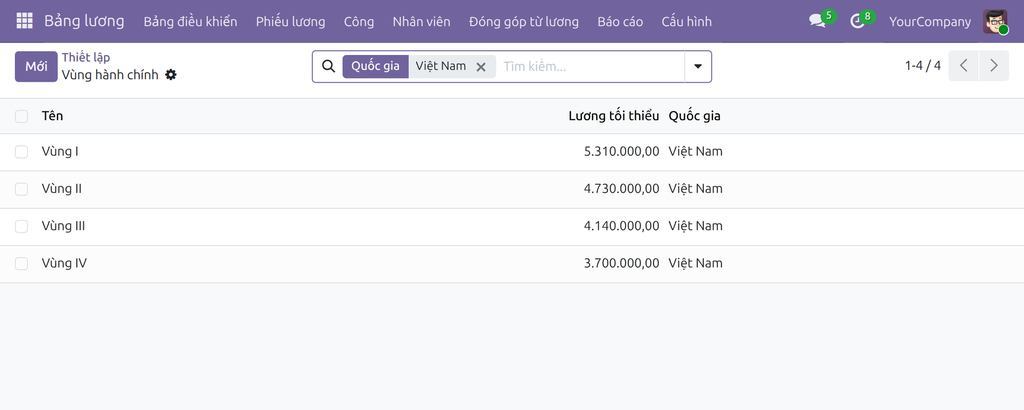
Open Payroll ‣ Configuration ‣ Payroll Entry ‣ Administrative Regions (or press Open Administrative Regions in Payroll ‣ Configuration ‣ Settings). Search by Country: Vietnam to leave other countries aside. The four regions are listed with their Minimum Wage, the amount in force today for the current company.
Note
The minimum wage of a region is shown for the country of the current company. For a company whose country is not Vietnam, the Vietnamese regions show 0.
Open a region, for example Region I, and press the Statutory Amounts button. It lists the amounts recorded for that region.
Read the list: each line has a Code, the Administrative Region, a Date Start, a Date End (empty while the amount has no end) and the Amount.
Open a line to see one amount with its name, code, country, region, value, currency and validity.
The module ships two codes for each region:
- MIN_WAGE: the monthly minimum wage of the region. Salary rules can read it by this code.
- UNEMPLOYMENT_UNSURANCE_MAX_BASE: the maximum base for unemployment insurance contributions of the region.
The name of each shipped amount cites the legal document it was taken from. The values below are example data that the module ships; verify them against the law in force before relying on them.
| Region | Minimum wage from 01/01/2026 | Minimum wage from 01/07/2024 to 31/12/2025 |
|---|---|---|
| Region I | 5,310,000 VND | 4,960,000 VND |
| Region II | 4,730,000 VND | 4,410,000 VND |
| Region III | 4,140,000 VND | 3,860,000 VND |
| Region IV | 3,700,000 VND | 3,450,000 VND |
The maximum unemployment insurance base shipped for each region equals 20 times the minimum wage of the same period (for example 106,200,000 VND for Region I from 01/01/2026).
When the law changes
- A new minimum wage: open the amount in force for each region and set its Date End to the day before the new rule applies. Create a new amount with the same code and region, the new value and its Date Start. Do the same for the maximum unemployment insurance base.
- An area moves to another region: first confirm the payslips of all periods before the date of the change, then change the region of the addresses in that area (see the next chapter).
- Employees who keep an earlier level of minimum wage: the module does not keep a previous level by itself. Pay them at least that level through their wages, or give them their own salary structure and salary rules that read the level they keep.
The minimum wage does not raise contribution bases on its own: a contribution base is limited only by the amounts recorded for its contribution type. A company that must apply a floor records an amount for that purpose on the contribution type. Employees with a situation of their own, such as part-time employees, are handled with their own salary structure and salary rules.
Amounts shipped by this module are not overwritten when the module is updated, so changes made by the Payroll Administrator are kept.
HR Administrator: set the region of each work address
A region applies where people work. Do this once for every company or branch address used as a Work Address.
Open the contact of the address.
Go to the Sales & Purchase tab.
In the Misc group, choose the Administrative Region. Only the regions of the country of the address are offered.
Save.
An employee who moves to an address in another region gets a new version with the new work address. A payslip uses the work address of the version in force on the last day of its period.
The region of an address has no start date: once it changes, every payslip computed afterwards uses the new region, including a draft payslip of an earlier period. To recompute an earlier period later with the old region, give the employees a new branch address with the new region, in a new version starting on the date of the change, instead of editing the region of the old address.
Payroll Officer: use the regional amounts
The Payroll Officer does not maintain the regional data. Payslips pick up the amounts automatically:
- Make sure the employee's version has a work address whose region is set (ask the HR Administrator if the field is empty).
- Compute the payslip as usual. The amounts used are those of the region of the work address on the last day of the period, in force on that day.
- To check which amount was applied, look at the validity of the Statutory Amounts of the region. The Payroll Officer can read them but not change them. From a Statutory Amount, the link on its region opens the region, where the Payroll Officer sees the Minimum Wage as read-only; the Payroll Officer has no menu for the list of regions and cannot create, edit or delete a region.
Troubleshooting
- The minimum wage of every Vietnamese region shows 0. The current company's country is not Vietnam. Check the country of the company, or switch to a Vietnamese company.
- A payslip does not use the regional amounts. The work address of the employee may have no administrative region, or no amount is in force for the region on the last day of the period. Set the region, or add the missing amount with the right dates.
- The Administrative Region field is missing on a contact. It is shown only to the HR Administrator and to the Payroll Administrator.
- The contact cannot be saved after changing the region. The user also needs the access right Contact: Creation.
- I cannot create or edit a region. Only the right Administrative Region Creation, included in Payroll: Administrator, allows it; Contact: Creation does not.
- A Payroll Officer does not find the Administrative Regions menu. The menu is for the Payroll Administrator; the Payroll Officer reaches a region from the region link on a Statutory Amount and can only read it.
This software and associated files (the "Software") may only be used (executed, modified, executed after modifications) if you have purchased a valid license from the authors, typically via Odoo Apps, or if you have received a written agreement from the authors of the Software (see the COPYRIGHT file).
You may develop Odoo modules that use the Software as a library (typically by depending on it, importing it and using its resources), but without copying any source code or material from the Software. You may distribute those modules under the license of your choice, provided that this license is compatible with the terms of the Odoo Proprietary License (For example: LGPL, MIT, or proprietary licenses similar to this one).
It is forbidden to publish, distribute, sublicense, or sell copies of the Software or modified copies of the Software.
The above copyright notice and this permission notice must be included in all copies or substantial portions of the Software.
THE SOFTWARE IS PROVIDED "AS IS", WITHOUT WARRANTY OF ANY KIND, EXPRESS OR IMPLIED, INCLUDING BUT NOT LIMITED TO THE WARRANTIES OF MERCHANTABILITY, FITNESS FOR A PARTICULAR PURPOSE AND NONINFRINGEMENT. IN NO EVENT SHALL THE AUTHORS OR COPYRIGHT HOLDERS BE LIABLE FOR ANY CLAIM, DAMAGES OR OTHER LIABILITY, WHETHER IN AN ACTION OF CONTRACT, TORT OR OTHERWISE, ARISING FROM, OUT OF OR IN CONNECTION WITH THE SOFTWARE OR THE USE OR OTHER DEALINGS IN THE SOFTWARE.