

Vietnam - HR Accounting
by Viindoo
| Lines of Code | 348 |
| Technical name | l10n_vn_viin_hr_account |
| License | OPL-1 |
| Website | https://viindoo.com/apps/modules/19.0/l10n_vn_viin_hr_account |
| Read description for | v 15.0 v 16.0 v 17.0 v 18.0 |
| Required Apps | Invoicing (account) Discuss (mail) Employees (hr) |
| Included Dependencies | Viindoo Base Vietnam Chart of Accounts - Circular 99 and 133 Accounting Foundation Advanced HR Management HR Accounting |
| Extensions | Vietnam Payroll - Accounting Integration |

Salary accounts filled in before accounting is even asked
For Vietnamese companies on a Circular 99 or Circular 133 chart of accounts, where HR and accounting are separate teams
Human resource accounting that follows Vietnam Accounting Standards, set up automatically for you.

Is this you?
HR creates a department or an employee, then waits for accounting to fill in the accounts.
HR cannot see accounting data, so someone with accounting rights has to open every record.
A forgotten or mistyped account code is easy to make and hard to spot in a long list of employees.
Every new hire and every new department brings the same manual task back.
What changes
HR creates a department, then waits for accounting.
→ Every department is saved with the salary expense account already chosen: 642 on the Vietnamese charts.
HR cannot see accounting data.
→ Every employee is saved with 334 Payables to employees behind the work contact. HR needs no accounting right.
A mistyped account code.
→ The company defines the employee payable account once and each new record follows it. An account an accountant chose is never replaced.
The same task for every hire.
→ Existing departments and employees are filled in when the module is installed or a Vietnamese chart is loaded.
How it works
Check the setting
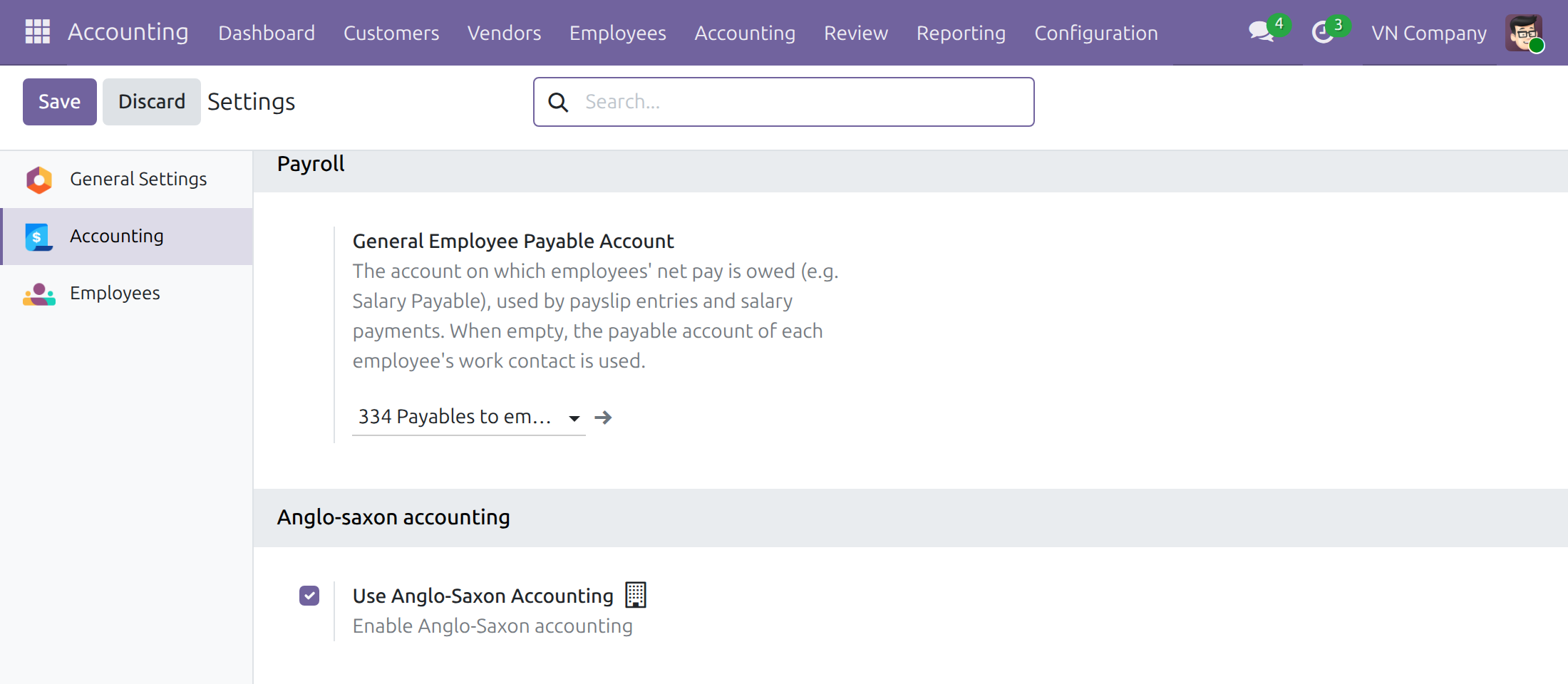
The administrator checks the General Employee Payable Account of the company, once.
Create a department
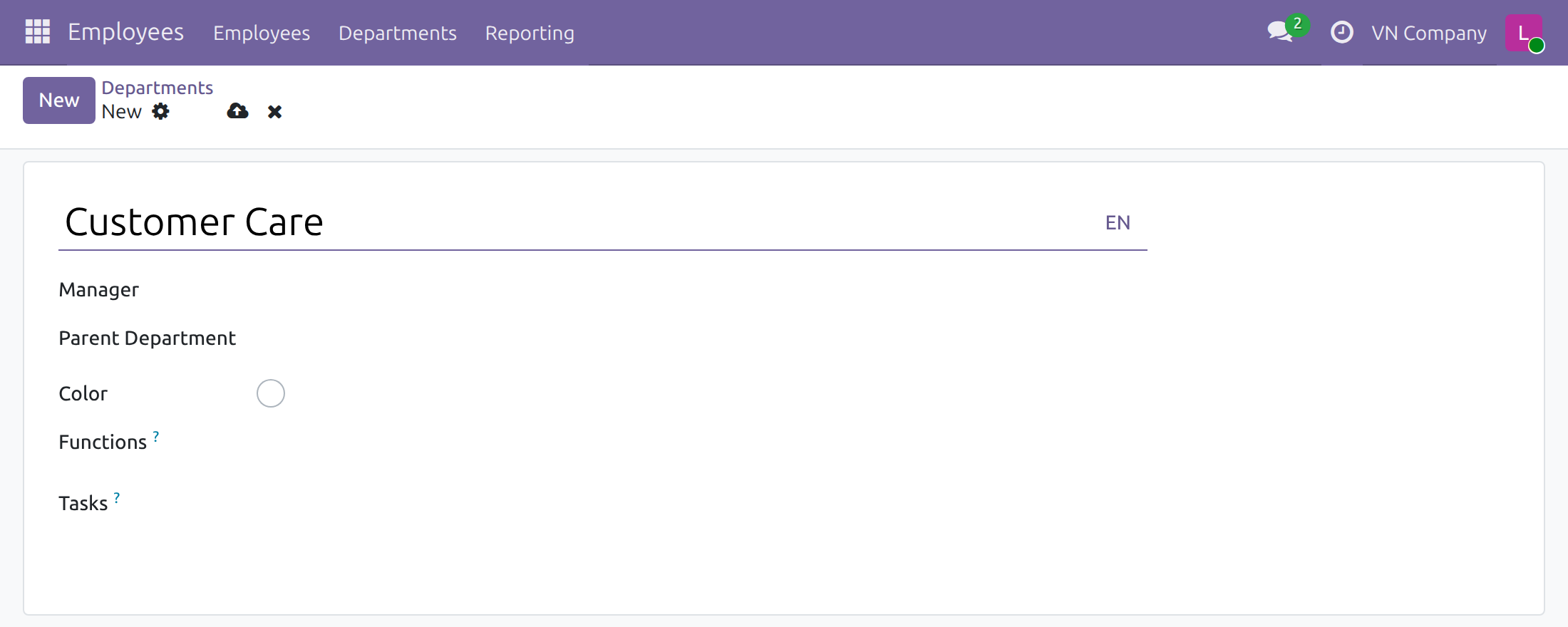
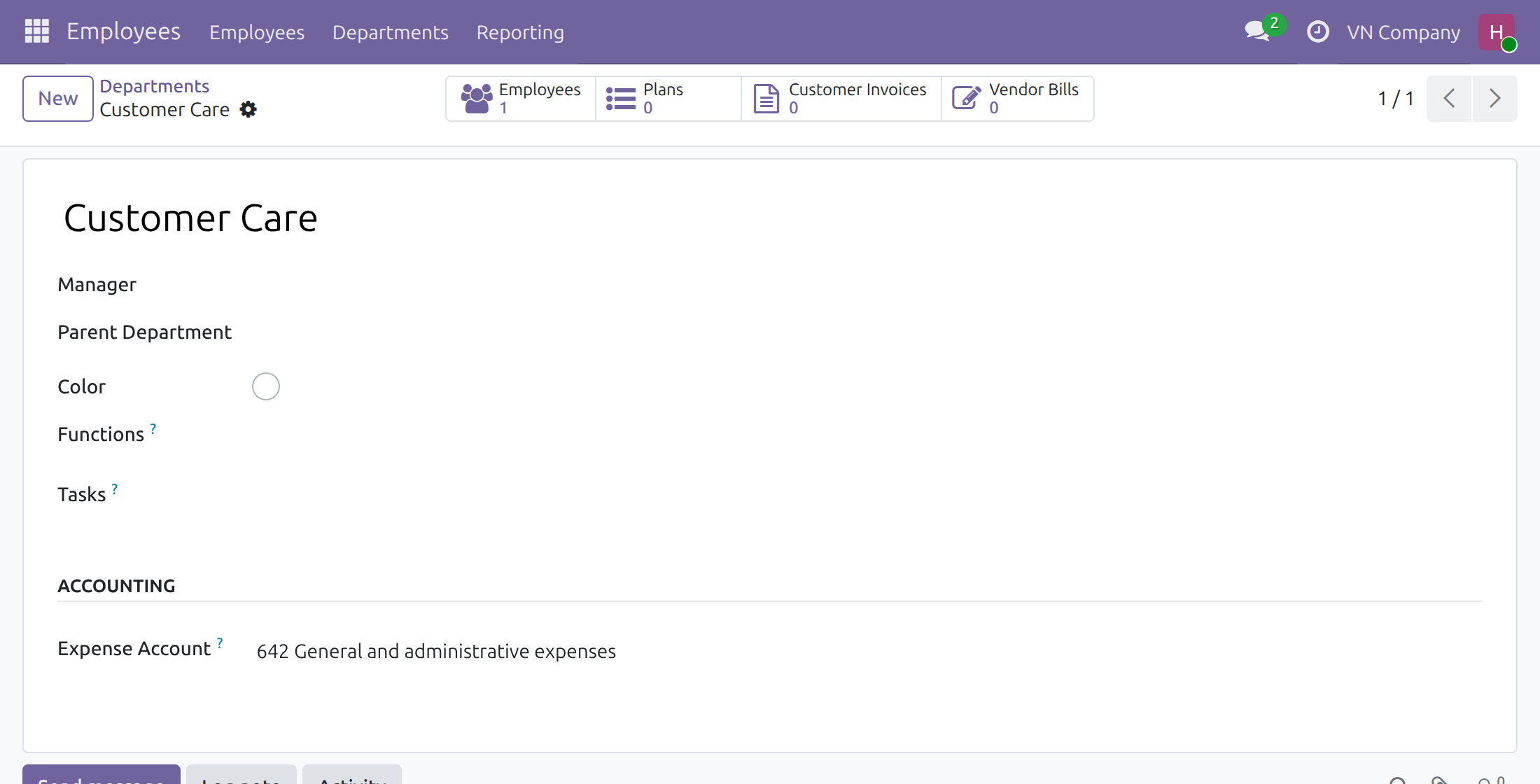
The HR officer saves a department. Its expense account is already filled in.
Create an employee
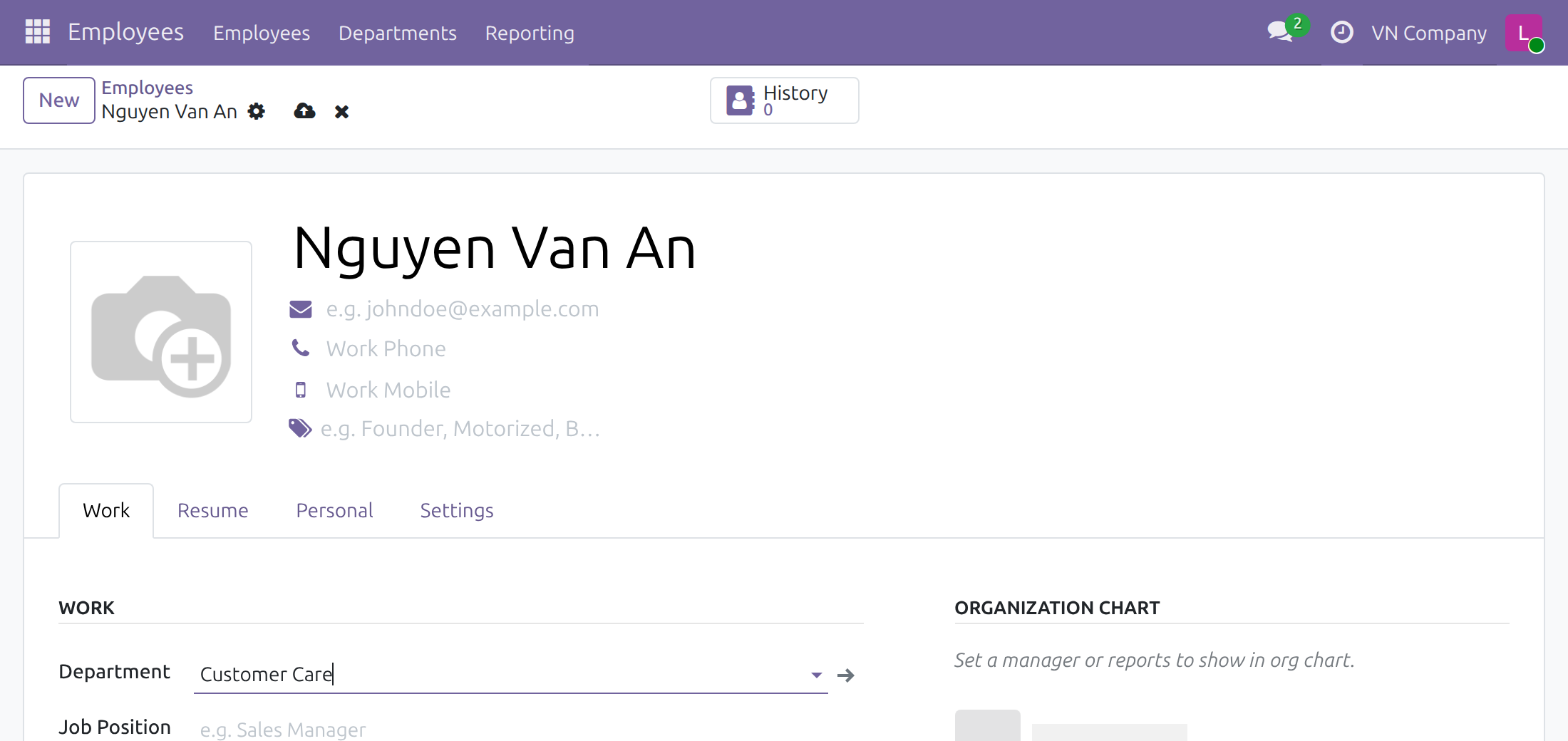
The HR officer saves an employee. The work contact already points to the payable account.
Check or adjust
The accountant checks the accounts. The payroll accountant chooses another expense account when the company wants one.
Key Features
Everything below is already in place when the module is installed.
Default expense account for departments
Departments of a company on a Vietnamese chart charge salary costs to account 642 without anyone choosing it: when the module is installed, when a chart is loaded and when a department is created.
Employee payable account without accounting work
Every employee of a Vietnamese-chart company is paid through account 334 Payables to employees from the first save, with no accounting work by HR.
One company-wide payable account
The company sets its General Employee Payable Account once and new employees follow it. Accountants can still pick another expense account for any department.
Who it is for
Finance director / chief accountant
Wants correct Vietnamese salary accounts on every record without chasing two teams.
HR manager
Wants HR officers to save departments and employees without waiting for accounting.
HR officer and accountant
The HR officer saves the record; the accountant only checks or adjusts.
System administrator
Installs once and checks one setting.
Best for: Vietnamese companies on a Circular 99 or Circular 133 chart where HR officers create employees and departments and accountants own the accounts.
Set the company's employee payable account once
HR saves a department
The expense account is already there
HR saves an employee
The payable account is already there
See Vietnam - HR Accounting in Action
Live demoFrequently Asked Questions
Do HR officers need accounting rights?
No. HR officers save departments and employees as usual; the accounts are filled in for them. Accounting screens show only to people with the Accounting / Bookkeeper or Accounting / Administrator access right.
Which accounts are used?
Departments get the active account whose code starts with 642 (on the standard Vietnamese charts, 642 General and administrative expenses). Employees get the company's General Employee Payable Account (334 Payables to employees).
What if an accountant already chose an account?
It stays. Only departments with an empty expense account are filled in.
What about companies that are not on a Vietnamese chart of accounts?
They are left as they are.
Where do the full accounting screens come from?
The full accounting features (Accounting / Bookkeeper) come with the optional module Accounting & Finance.
Need help with Vietnam - HR Accounting?
Technical Requirement
- Odoo version: 19.0
- Editions: Odoo Community, Odoo Enterprise
- Required modules: HR Accounting, Vietnam Chart of Accounts - Circular 99 and 133
- Optional module: Accounting & Finance, for the full accounting screens
- License: OPL-1
Vietnam - HR Accounting
Who this guide is for: the administrator who installs the module, the HR officers who create departments and employees, and the accountants who check the accounts those records post to, in companies that keep a Vietnamese chart of accounts (Circular 99 or Circular 133).
Overview
HR officers manage employees and departments, but the accounts salaries are charged and paid through belong to accounting. Without this module, the HR team has to ask the accounting team to fill in an expense account on every department and a payable account on every employee, because HR officers cannot see accounting data.
Vietnam - HR Accounting fills both in for companies on a Vietnamese chart of accounts:
- A department gets the salary expense account of the company: the active account whose code starts with 642 (on the standard Vietnamese charts, 642 General and administrative expenses). When several accounts match, the one with the shortest code wins, then the lowest code. This happens when the module is installed, when a Vietnamese chart is loaded for a company, and each time a department is created. An account that somebody chose is never replaced.
- The work contact of each employee gets the company's General Employee Payable Account (on the standard Vietnamese charts, 334 Payables to employees) as its payable account, when the employee is created, when the module is installed, and whenever the employee's work contact changes.
Companies that do not use a Vietnamese chart of accounts are left as they are.
The work goes from person to person like this:
- The HR officer creates a department. The expense account is already filled in.
- The HR officer creates an employee. The employee's work contact already points to the employee payable account.
- The accountant checks the accounts, and the payroll accountant changes the expense account of a department when the company wants a different one.
| Role | What they do | Access right to assign |
|---|---|---|
| Administrator | Installs the module, checks the General Employee Payable Account, gives each person their access right | Accounting / Administrator |
| HR officer | Creates departments and employees | Employees / Officer: Manage all employees |
| Accountant | Checks the payable account of an employee and the expense account of a department | Accounting / Bookkeeper |
| Payroll accountant | Chooses another expense account for a department | Employees / Officer: Manage all employees, and Accounting / Bookkeeper |
Note
Works together with HR Accounting, which adds the Expense Account field to departments.
Note
The accounting screens used in this guide (the Accounting section of a department, the Accounting tab of a contact and the Payroll block of the accounting settings) show only to people with full accounting features: the access right Accounting / Bookkeeper or Accounting / Administrator. These come with the optional module Accounting & Finance. Payroll users do not see accounting screens and accountants do not see salaries: the person who pays salaries is a person the company grants both a payroll access right and an accounting access right.
Setup (for the Administrator)
Installation
The module installs itself when HR Accounting and Vietnam Chart of Accounts - Circular 99 and 133 are both installed. To install it by hand:
- Open Apps.
- Remove the Apps filter and search for Vietnam - HR Accounting.
- Press Install.
When the module is installed, every existing department and employee of a company on a Vietnamese chart of accounts is filled in as described in the overview.
Check the General Employee Payable Account
- Open Accounting > Configuration > Settings and scroll to the Payroll block.
- Check the account in General Employee Payable Account. On the Vietnamese charts it is 334 Payables to employees.
- To use another account, pick it in the field and press Save. New employees follow it.
The setting belongs to the company that is active in the top bar: in a multi-company database, switch to the company first.
Give each person their access right
- Open Settings > Users & Companies > Users and open the user.
- In the Access Rights tab, set the rights shown in the table of the overview: Employees for HR officers, Accounting for accountants, both for the payroll accountant.
- Make sure the user's companies include the company on the Vietnamese chart.
HR officer: departments and employees
Create a department
- Open Employees > Departments and press New.
- Type the department name, for example Customer Care, and press Save.
The department is saved with the company's salary expense account (642 General and administrative expenses on the standard charts). The HR officer does not see the account: the Accounting section of the form is for accounting users.
Create an employee
- Open Employees > Employees and press New.
- Type the employee's name and pick the Department.
- Press Save.
The employee's work contact is created with the company's General Employee Payable Account as its payable account. Nothing more is asked of the HR officer.
Accountant: check the accounts
Check the payable account of an employee
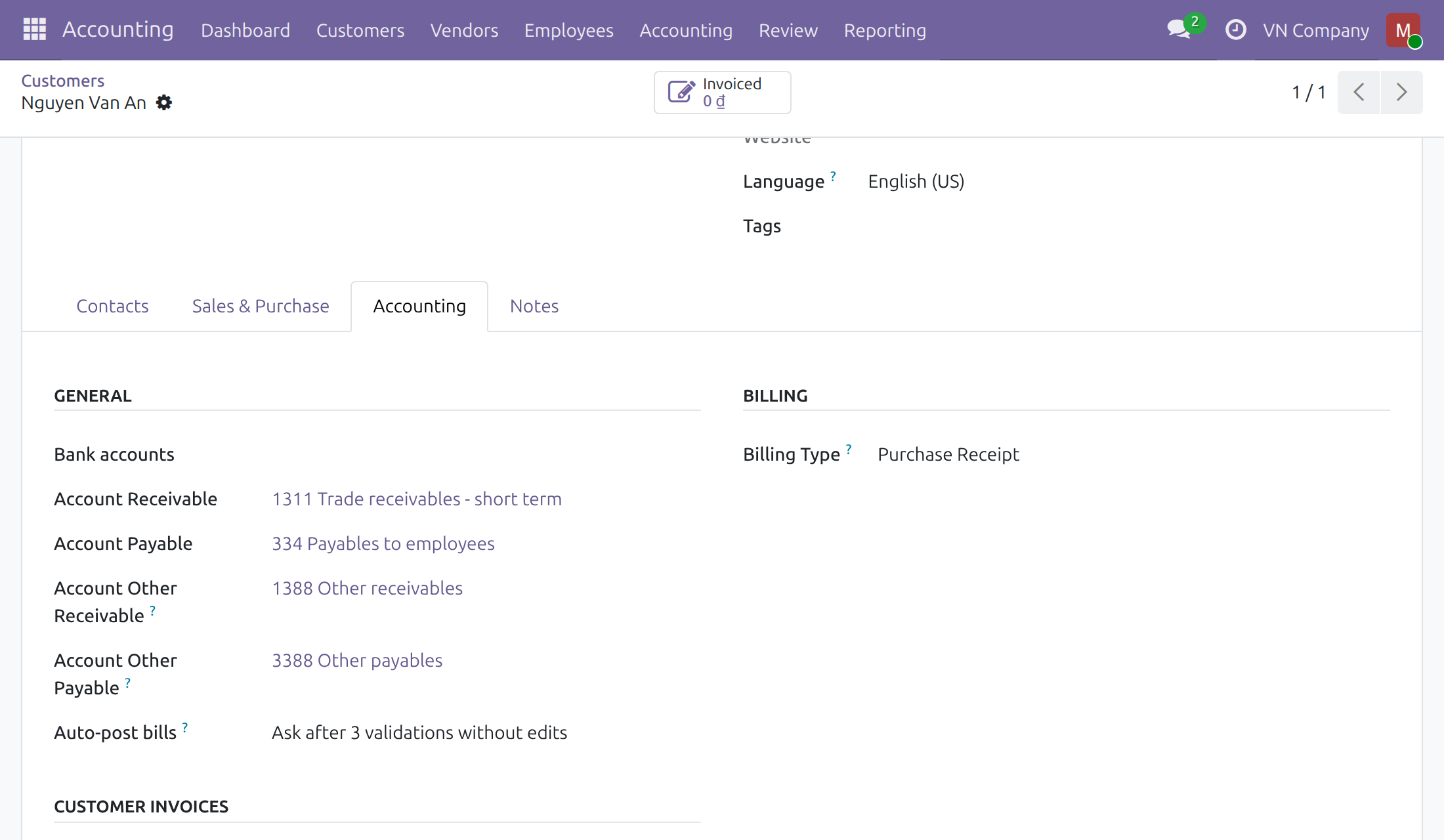
- Open Accounting > Customers > Customers and search for the employee's name.
- Open the contact and click the Accounting tab.
- Account Payable shows the employee payable account, for example 334 Payables to employees.
If the contact shows another account, either the employee belongs to a company that is not on a Vietnamese chart of accounts, or the company's General Employee Payable Account is empty. Ask the administrator to set it (see Setup).
Payroll accountant: choose another expense account for a department
- Open Employees > Departments and open the department.
- In the Accounting section, click Expense Account. The list offers the expense accounts of the department's company.
- Pick the account and press Save.
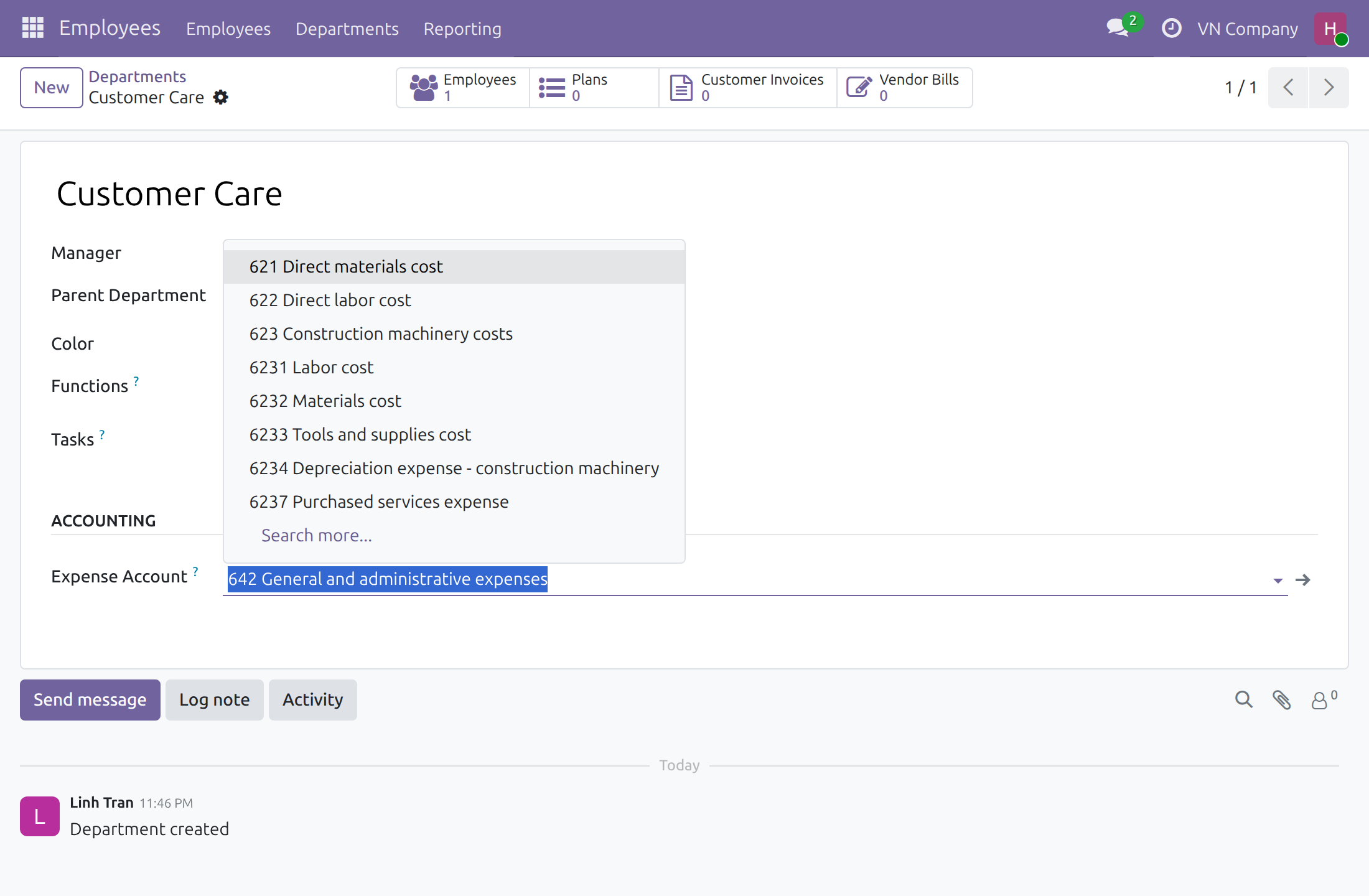
The account you picked is kept: it is not replaced when a chart is loaded, when the module is installed, or when other departments are created. An accountant who has no HR right sees the expense account of a department read-only, because changing it needs the Employees / Officer: Manage all employees right as well.
Troubleshooting
The Accounting section of a department, or the Accounting tab of a contact, is missing. Your user needs the access right Accounting / Bookkeeper or Accounting / Administrator. Ask your administrator to set it (Settings > Users & Companies > Users > Access Rights). The screens come with the optional module Accounting & Finance.
A new department has no expense account. The company's chart of accounts has no active account whose code starts with 642. Activate or create the account in the chart of accounts, then choose it on the department as a payroll accountant. Departments of companies that are not on a Vietnamese chart are not filled in.
I cannot change the expense account of a department. Changing it needs the access rights Employees / Officer: Manage all employees and Accounting / Bookkeeper together. Ask your administrator to give them to the payroll accountant.
The Payroll block is missing from the accounting settings. The block shows to users with the access right Accounting / Bookkeeper or Accounting / Administrator.
FAQ
Which accounts are used? The expense account is the active account whose code starts with 642 and the payable account is the General Employee Payable Account of the company. Both are accounts of the company's chart of accounts, and the accounting team can change them.
Does the module change departments that already have an expense account? No. Only departments with an empty expense account are filled in.
What about employees of companies that do not use a Vietnamese chart? Nothing changes for them.
Where do I ask for help? Open a support ticket at https://viindoo.com/ticket. For purchase questions, use https://viindoo.com/contactus.
This software and associated files (the "Software") may only be used (executed, modified, executed after modifications) if you have purchased a valid license from the authors, typically via Odoo Apps, or if you have received a written agreement from the authors of the Software (see the COPYRIGHT file).
You may develop Odoo modules that use the Software as a library (typically by depending on it, importing it and using its resources), but without copying any source code or material from the Software. You may distribute those modules under the license of your choice, provided that this license is compatible with the terms of the Odoo Proprietary License (For example: LGPL, MIT, or proprietary licenses similar to this one).
It is forbidden to publish, distribute, sublicense, or sell copies of the Software or modified copies of the Software.
The above copyright notice and this permission notice must be included in all copies or substantial portions of the Software.
THE SOFTWARE IS PROVIDED "AS IS", WITHOUT WARRANTY OF ANY KIND, EXPRESS OR IMPLIED, INCLUDING BUT NOT LIMITED TO THE WARRANTIES OF MERCHANTABILITY, FITNESS FOR A PARTICULAR PURPOSE AND NONINFRINGEMENT. IN NO EVENT SHALL THE AUTHORS OR COPYRIGHT HOLDERS BE LIABLE FOR ANY CLAIM, DAMAGES OR OTHER LIABILITY, WHETHER IN AN ACTION OF CONTRACT, TORT OR OTHERWISE, ARISING FROM, OUT OF OR IN CONNECTION WITH THE SOFTWARE OR THE USE OR OTHER DEALINGS IN THE SOFTWARE.